Add & Insert Page Numbers to PDF
Add clear, professional page numbers to any PDF and place them exactly where you want them on the page. With Smallpdf Pro, you can number unlimited documents and save your finished files straight to the cloud.
 ISO/IEC 27001
 GDPR
GDPR CCPA
CCPA nFADP
nFADP
- 5MPDFs edited monthly
- 1B+Users worldwide
- 10K+Business teams
- 2013Trusted since
- +40PDF tools
 4.4
4.4 4.6
4.6 4.6
4.6
Get both Smallpdf and Sign.com with one subscription.
Everything You Need in a Add Page Numbers Tool

A Simple Way To Add Numbers to PDF Files
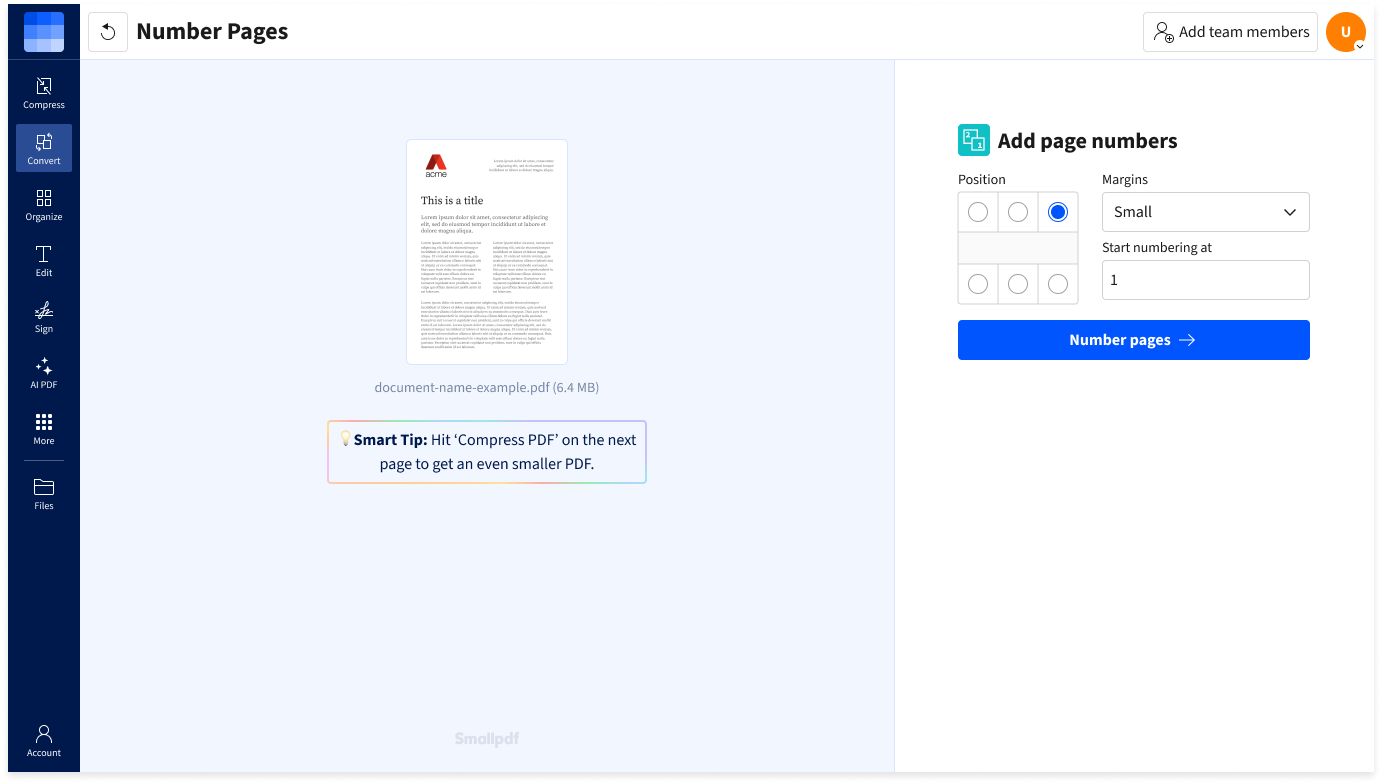
Adding page numbers to your PDF with Smallpdf is simple: upload your PDF, choose where you'd like the numbers, and download the finished file! No need to worry about complex settings or formatting.
Secure Online File Handling
Your PDFs are secured during all file transfers using TLS encryption on our cloud platform. You have plenty of time to download your PDF with page numbers, as all files are automatically deleted from our servers after one hour.
100% Cloud-Based
Number your PDF pages easily through your browser. Smallpdf is compatible with all operating systems, including Windows, Mac, Linux, Android, and iOS. All you need is an internet connection.
Data Protection & Security
We take matters of data protection and file security seriously. Our site uses TLS encryption and we are GDPR compliant, as well as ISO/IEC 27001 certified. Find out more on our privacy page.
Connected Workflows
After numbering the pages of your PDF file, you have a wide range of tools at your disposal. For instance, you can further edit, compress, sign it, remove pages, and even convert it to an editable format like Word or Excel!
How To Add & Insert Page Numbers to PDF:
- Import or drag & drop your file to our PDF page number tool.
- Select the position where you want page numbers to appear.
- Adjust page margins and other options as needed.
- Click “Number pages” and wait just a second.
- Download your PDF with page numbers—that’s it!
FAQs About Adding Page Numbers to PDFs
Can I add page numbers to multiple PDFs at once?
Absolutely! Smallpdf makes it simple to add page numbers to multiple PDFs simultaneously. In just a few clicks, you can choose the location of the page numbers and adjust the margins for a polished look. The process is straightforward: Click 'Choose Files' in the upload box at the top of this page and select the PDFs you want to number. Then, choose the page number position, set your margins, select your starting page number, and download all of your page-numbered PDFs at once.
How do I add sequential page numbers to a PDF?
You can easily add sequential page numbers to a PDF with Smallpdf. In fact, you can try it right now at the top of this page. Just upload your PDF, pick where you want your page numbers to appear, and download your sequentially numbered PDF.
Can I add page numbers to any location on my PDF?
Of course, the choice is yours. With the Smallpdf Page Number tool, you can easily place page numbers at the top, bottom, or any corner of your PDF. You can even adjust your margins to make sure everything is easy to read. Try it now—just drop a PDF into the box at the top of this page, follow the prompts, and let our tool handle the rest in an instant.