Redact PDF
Permanently remove names, addresses, and other sensitive details from a PDF so they can never be recovered. Smallpdf Pro secures every redaction with trusted encryption and the background of an ISO-certified Swiss platform.
 ISO/IEC 27001
 GDPR
GDPR CCPA
CCPA nFADP
nFADP
- 5MPDFs edited monthly
- 1B+Users worldwide
- 10K+Business teams
- 2013Trusted since
- +40PDF tools
 4.4
4.4 4.6
4.6 4.6
4.6
Get both Smallpdf and Sign.com with one subscription.
A Safer Way to Redact PDFs Online

Start Immediately, No Fuss
Redact a PDF online with no downloads or signups. Simply upload, remove sensitive data, and save. Fast, simple, and secure.
Works on Any Device
Use the Redact PDF tool on Mac, Windows, Linux, iOS, or Android. Edit securely and seamlessly, whatever your preferred device.
Fast, Full Redaction Control
Select specific text, images, or entire sections to permanently remove. Unlike simple black boxes that can be copied around, our redaction eliminates content. Only the content you want remains.
Compliance-Friendly
Ensure your documents meet GDPR, HIPAA, and other data and privacy regulations. Redact personal or sensitive data to keep documents compliant.
Perfect for Legal, Medical, & Finance
Ideal for handling sensitive contracts, patient records, and financial reports. Protect client privacy while maintaining document clarity and professional presentation.
Browser-First Privacy
Process files 100% in your browser. Your documents download directly to your device and nothing is stored on our servers. Keep your files secure as you fully redact sensitive information.
How To Redact a PDF Online
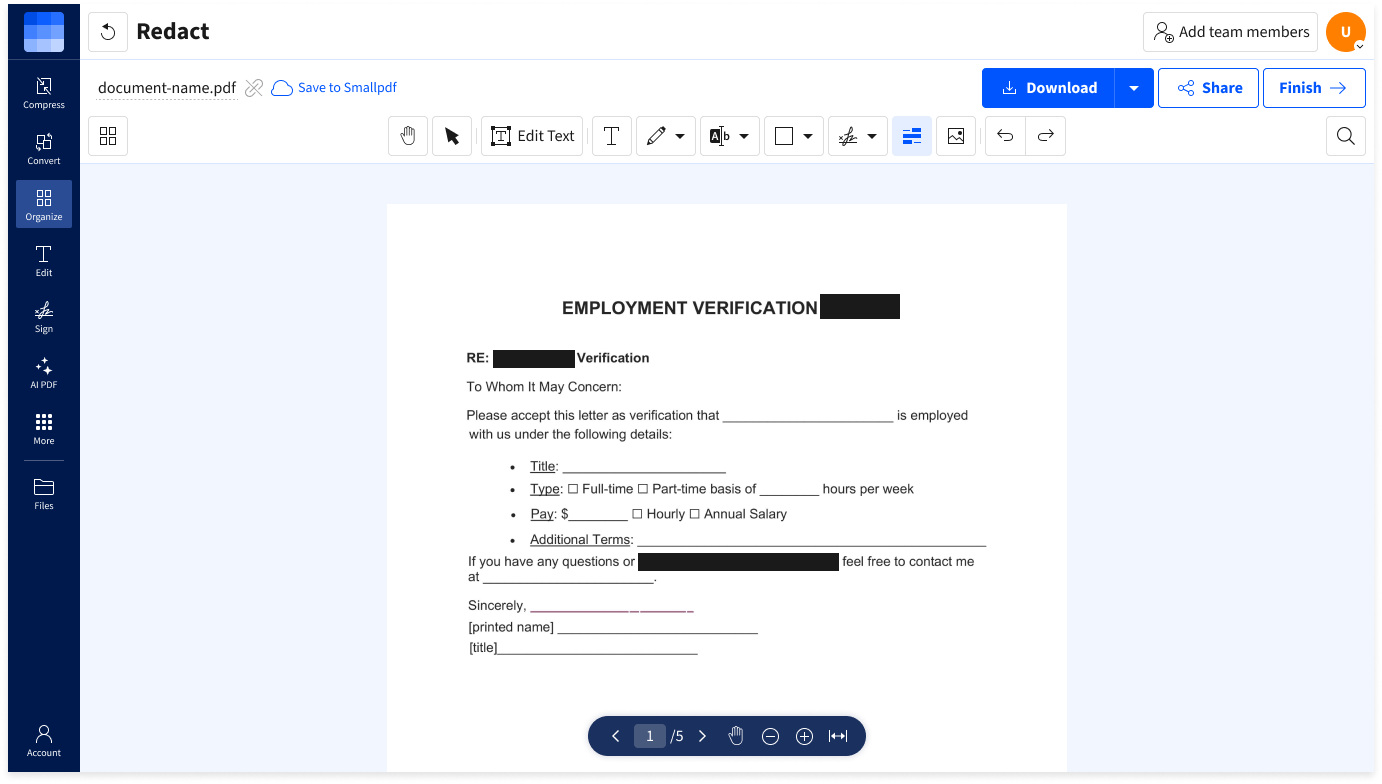
- Drag & drop your PDF into the Redact PDF tool.
- Tap the Redact icon and highlight the text or areas you want to remove.
- Click ‘Finish’ to apply permanent redactions.
- Add watermarks or passwords if desired.
- Download your newly redacted PDF.
Redact PDF FAQs
What is PDF redaction?
PDF redaction is the permanent removal of selected text or images from a document so they can't be viewed or recovered. This ensures sensitive information is fully eliminated, not just hidden or covered up.
Can I undo a redaction?
No. Once applied and saved, redaction is permanent and irreversible. Always review before saving to avoid unintentionally removing important content.
Will the redacted content still exist in the file’s metadata?
No. Our tool fully removes the content from the PDF file. It doesn’t just hide it visually. This prevents extraction through search or hidden data recovery methods.
Is my document secure during redaction?
Absolutely. We use TLS encryption and delete files automatically after one hour of processing for your privacy. All processing happens on secure servers with strict access controls.