JPG to PDF
Turn JPGs and other images into a clean PDF, with control over margins, orientation, and page size. Smallpdf Pro converts unlimited images with Swiss-engineered security and automatically deletes files after one hour for added peace of mind.
 ISO/IEC 27001
 GDPR
GDPR CCPA
CCPA nFADP
nFADP
- 5MPDFs edited monthly
- 1B+Users worldwide
- 10K+Business teams
- 2013Trusted since
- +40PDF tools
 4.4
4.4 4.6
4.6 4.6
4.6
Get both Smallpdf and Sign.com with one subscription.
Convert JPG to PDF Fast

Fast & Easy JPG to PDF Converter
Drag and drop your image files into the toolbox to quickly convert a JPG file to PDF. Maintain excellent image quality and edit your PDF’s margins, orientation, and size for a polished final result.
File Protection Guaranteed
At Smallpdf, we’re serious about security. TLS encryption safeguards your images throughout the process. Files are automatically deleted from our servers one hour after the PDF conversion, ensuring your privacy.
Convert your JPEG to PDF Online
Our JPEG to PDF converter runs entirely in your browser, so it works seamlessly on any operating system. Whether you’re using Mac, Windows, or Linux, you can convert images to PDF easily without account creation or installation.
Add Additional Documents
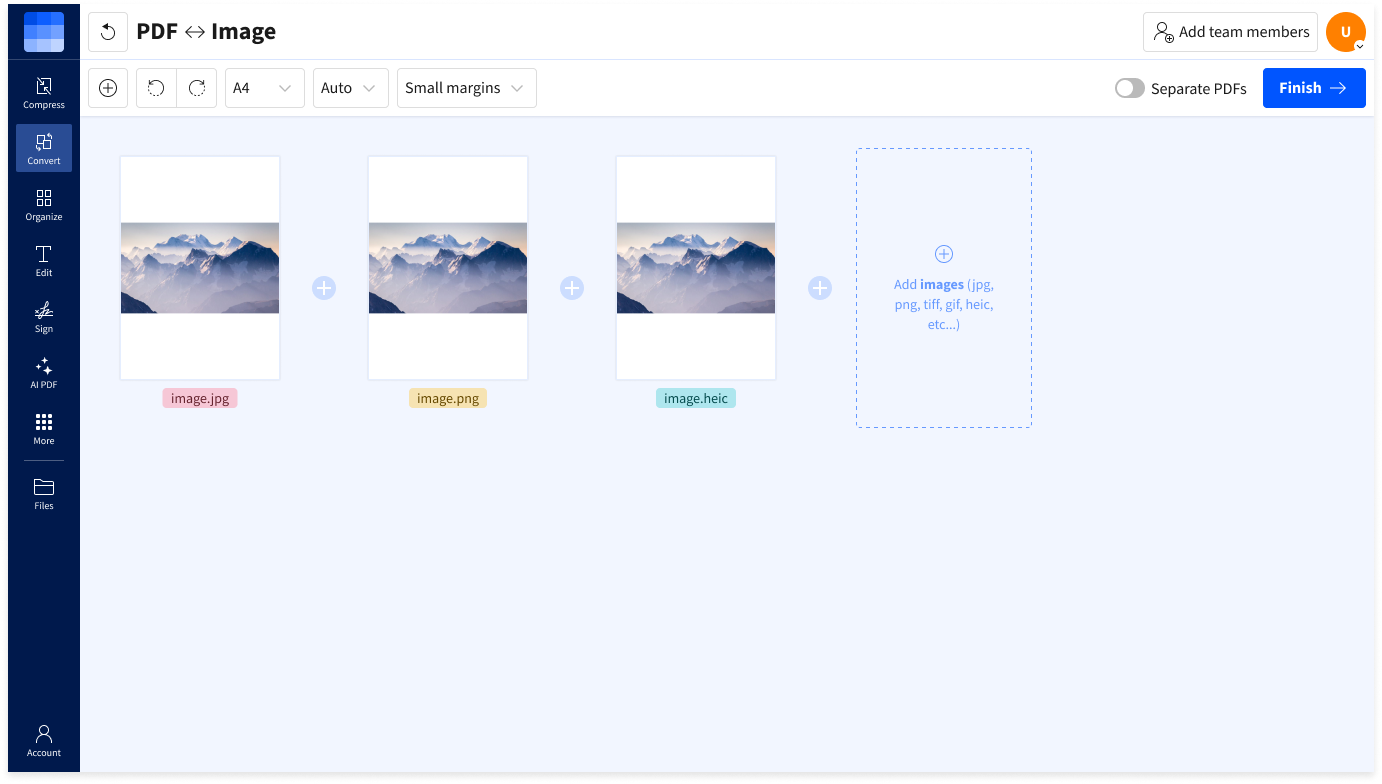
After uploading your JPG, you can preview and customize the settings or add more images to your PDF document. We’ll combine multiple images into one seamless, high-quality PDF file, ready for you to download.
PDF Converter for Any Image Format
While our JPG to PDF converter specializes in JPG files, it can also handle PNG, HEIC, GIF, BMP, TIFF, and more. No matter your image type, we’ll convert it seamlessly to PDF for you.
Convert to PDF in the Cloud
Our JPEG to PDF converter operates in the cloud, so it doesn’t use any CPU resources on your device. No software installation is necessary.
How To Convert JPG to PDF Online
- Upload or drag and drop your image into the JPG to PDF converter.
- Adjust settings such as size, orientation, and margins as needed.
- Click ‘Convert’ and wait just a second.
- Download or share your converted PDF.
Convert JPG to PDF FAQs
What image formats can I convert to PDF?
Smallpdf supports multiple image formats, including JPG, PNG, BMP, GIF, HEIC, WebP, TIFF, and more. All of these file types can be easily converted to high-quality PDFs. Additionally, Smallpdf can convert Word documents (DOC, DOCX), Excel spreadsheets (XLS, XLSX), PowerPoint presentations (PPT, PPTX), and other document types to PDF.
Can I merge multiple JPGs into one PDF?
es! Simply upload your images, arrange them in your desired order, and click to combine.
Will my image quality be affected when converting to PDF?
No. Smallpdf’s JPG to PDF converter preserves the sharpness and clarity of your images, ensuring no quality is lost during the conversion process. You’ll receive the file format you require while maintaining the original image quality.
How do I convert JPG to PDF on a Mac or Windows PC?
Convert JPGs to PDFs instantly in any browser with Smallpdf’s converter. No software installation is required. Simply drag your JPG files into the converter at the top of the page to begin.
Is my data secure when converting JPG to PDF?
Your files are protected with advanced TLS encryption. For your security, all images are automatically deleted from our servers one hour after the conversion.