PDF Converter
Convert files to and from PDF, from Word and Excel to PowerPoint and images, with your original layout and formatting preserved. Smallpdf Pro gives you unlimited conversions, including batch conversions, on a platform trusted by over a billion users.
 ISO/IEC 27001
 GDPR
GDPR CCPA
CCPA nFADP
nFADP
- 5MPDFs edited monthly
- 1B+Users worldwide
- 10K+Business teams
- 2013Trusted since
- +40PDF tools
 4.4
4.4 4.6
4.6 4.6
4.6
Get both Smallpdf and Sign.com with one subscription.
Everything You Need in a PDF Converter

How Does the PDF Converter Work?
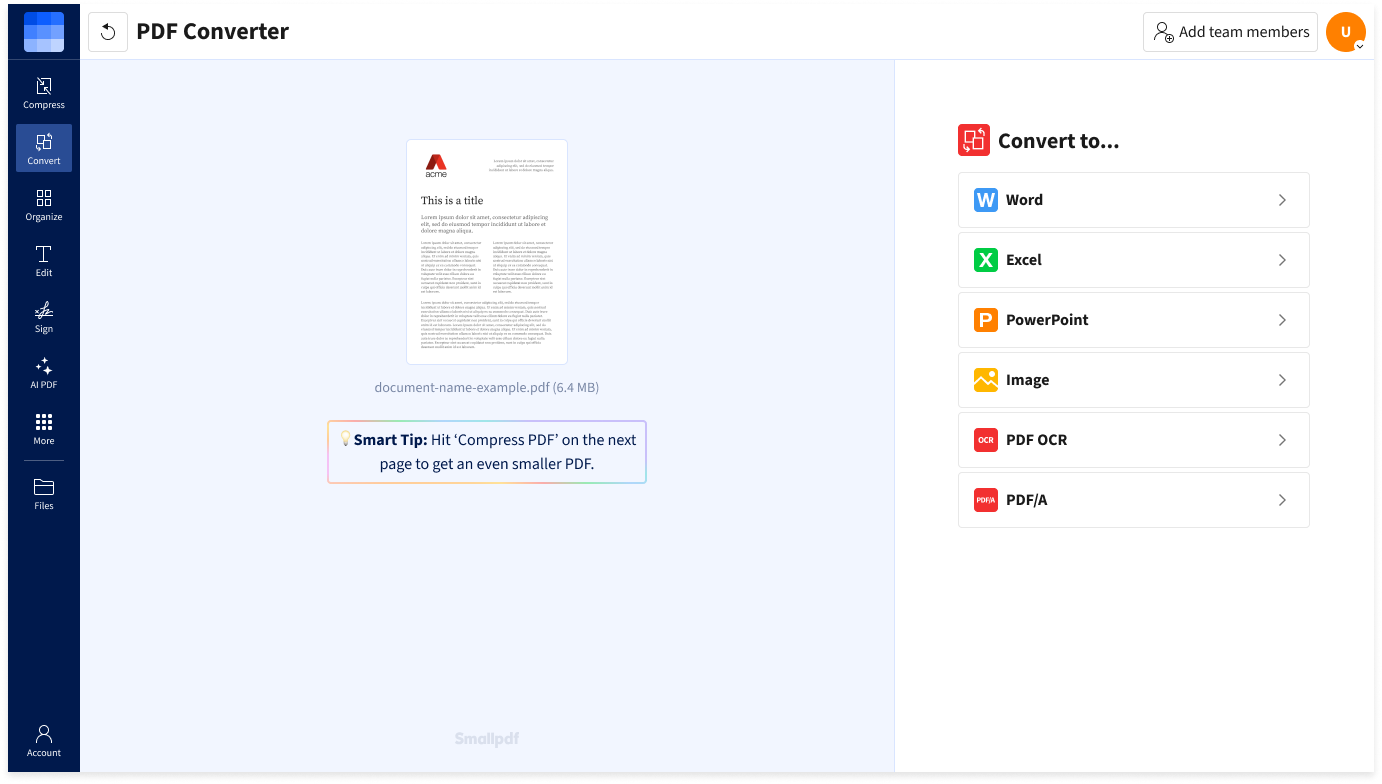
Drag & drop any of over 20 supported file formats—like Microsoft Word documents, Excel, PPT, or image files—into the converter to create a PDF. You can also convert a PDF back into these formats. Once the file is ready, download it instantly or save it to your cloud storage.
Secure PDF Conversion
Smallpdf is serious about your security and privacy. All file transfers are protected through advanced TLS encryption. For added peace of mind, all processed files are automatically deleted from our servers after one hour.Convert on Windows, Linux, Mac, Android, And More
Convert to PDF and back right in your browser—no software installation required. You can use the online converter on any device or operating system. Then, download your converted files instantly, or save them to Google Drive, Dropbox, OneDrive, or your Smallpdf storage.
Convert to and From Any File
Our PDF converter ensures high-quality results when working with the PDF format, made possible through our partnership with Solid Documents. Convert seamlessly with support for Word, Excel, PowerPoint documents, as well as formats such as HTML, TXT, JPG, PNG, HEIC, and others.
Quick & Easy PDF Conversion
Smallpdf’s online PDF converter makes handling files quick and simple. Whether converting to or from PDF, and no matter the file size, just drag & drop, choose your document output format, and let the tool work its magic.
Convert From Anywhere
With our PDF converter, you can convert files anytime, anywhere, as long as you have internet access. Smallpdf's cloud-based file conversion requires no installation or sign-ups, making it quick and easy to convert files on the go.
How To Convert to and From PDF
- Import or drag & drop your file into our PDF converter.
- Conversion starts immediately and takes just a few seconds.
- Converting to PDF? Your file is ready in seconds. When converting from PDF, choose the format you need to convert to, and click ‘Convert’.
- Download your converted document or save it to your cloud storage.
PDF Converter FAQs
What file formats can I convert to and from PDF?
Smallpdf supports conversion to and from PDF, Word, Excel, PowerPoint, JPG, PNG, HTML, and many more file types.
How does the online PDF converter work?
Smallpdf’s PDF converter works as simply as possible. Just upload the file you need to convert, and you’ll get it in the desired output format in seconds.
Can I convert scanned PDFs into editable documents?
Yes. Smallpdf’s OCR technology allows you to search and edit text within converted and scanned PDFs by extracting it.
How do I convert a PDF on Mac, Windows, or a mobile device?
Convert PDFs effortlessly with Smallpdf's online converter. Upload your file from any device or browser—no installation required. Alternatively, try our Smallpdf mobile app for iOS and Android.
Is my data safe when using the PDF converter?
Absolutely. With Smallpdf, your files are secured with TLS encryption during transfer and automatically deleted after one hour.