Unlock PDF
1B+ users
Secure file transfer with TLS encryption. All files are automatically deleted.
Remove password protection from PDFs in seconds to regain full access to your documents. Smallpdf Pro lets you unlock unlimited files with a Swiss approach to security in mind. All processed PDFs get automatically deleted after one hour for added peace of mind.
 ISO/IEC 27001
 GDPR
GDPR CCPA
CCPA nFADP
nFADP
- 5MPDFs edited monthly
- 1B+Users worldwide
- 10K+Business teams
- 2013Trusted since
- +40PDF tools
 4.4
4.4 4.6
4.6 4.6
4.6
Get both Smallpdf and Sign.com with one subscription.
Unlock Any PDF

Remove PDF Passwords in Seconds
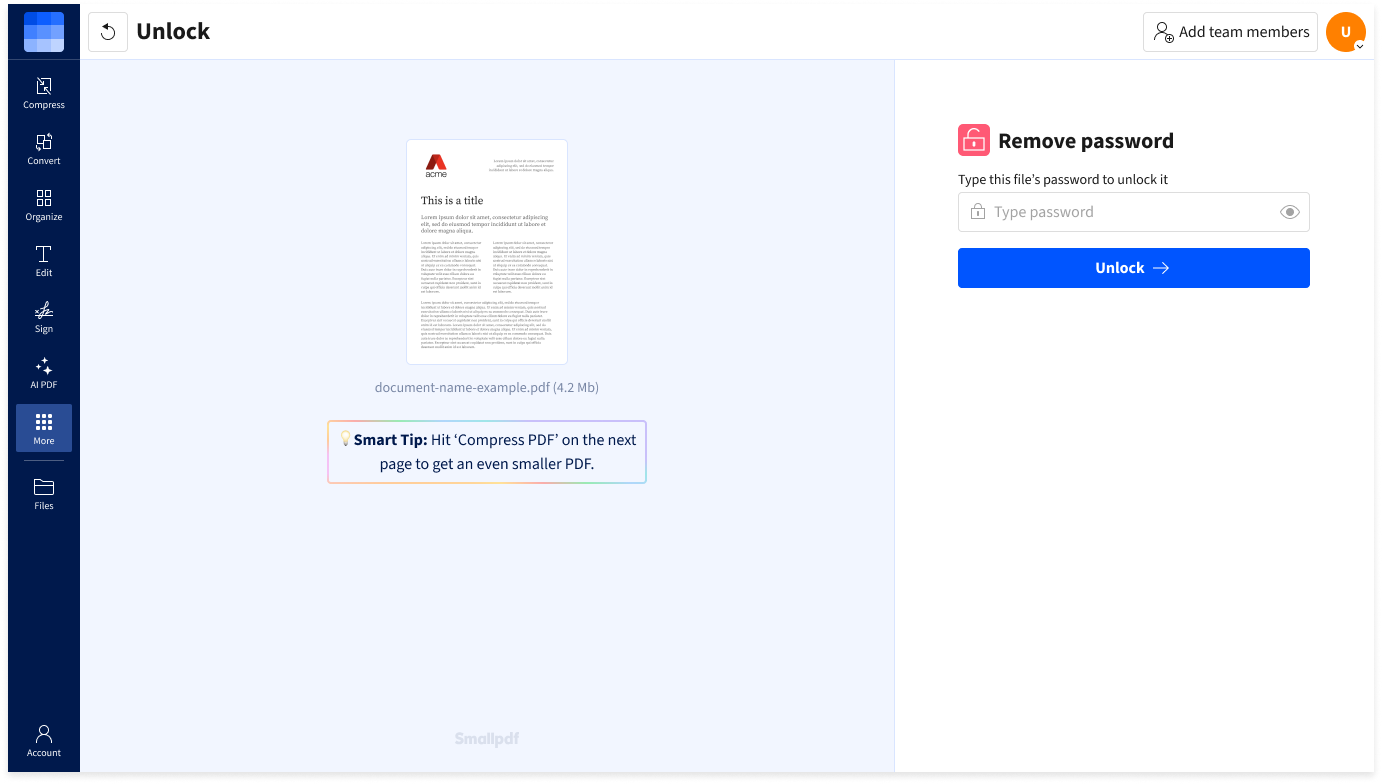
Remove password protection from PDFs in just a few clicks. Simply upload your file, enter the password, and download an unrestricted version of the document.
Unlock Almost Any PDF
No matter how large your PDF is, all you need is the password to open it. Smallpdf will take care of the rest.
Works on Any Device
Unlock PDFs online from any browser, on Mac, Windows, iOS, or Android. No software installation required—just upload, unlock, and download.
40+ Tools for Every PDF Task
Need to do more than just unlock PDFs? Edit, convert, merge, and compress your documents with our complete suite of 40+ PDF tools.
Safe From Start To Finish
Your documents are protected with TLS encryption, and all files are automatically deleted after one hour. Rest assured your PDFs are for your eyes only.
Certified Security & GDPR Compliance
Smallpdf is ISO/IEC 27001-certified and fully GDPR-compliant. We meet the highest privacy and security standards, so your data stays safe and in your control.
How To Unlock a PDF Online
- Import or drag & drop your locked PDF into the password remover.
- Type the password to access your PDF.
- Edit the PDF with our other online tools if needed.
- Download or share your unlocked PDF when ready.