Delete Pages From PDF
1B+ users
Secure file transfer with TLS encryption. All files are automatically deleted.
Remove unwanted or confidential pages from any PDF with a few quick clicks, leaving a clean document behind. Smallpdf Pro lets you edit unlimited files and keeps every upload secure from start to finish.
 ISO/IEC 27001
 GDPR
GDPR CCPA
CCPA nFADP
nFADP
- 5MPDFs edited monthly
- 1B+Users worldwide
- 10K+Business teams
- 2013Trusted since
- +40PDF tools
 4.4
4.4 4.6
4.6 4.6
4.6
Get both Smallpdf and Sign.com with one subscription.
A Smarter Way to Delete Pages Online

Easily Remove Unwanted Pages
Select and delete any pages from your PDF with just a few clicks. No complicated tools, just a clean, streamlined workflow.
Keep Your Document Intact
Deleting pages won’t affect the formatting, images, or layout of your PDF. Everything stays sharp and professional.
Fast, Browser-Based Editing
No need for software downloads. Delete PDF pages directly from your web browser on Mac, Windows, iOS, or Android.
30+ Tools for Every PDF Task
Do more than just delete. Get 30+ PDF tools to edit, merge, compress, and manage your PDFs—all in one place.
Safe from Start to Finish
All files are encrypted with TLS security and automatically deleted after one hour. Your documents are for your eyes only.
Certified Security and Compliance
Smallpdf is ISO/IEC 27001 certified and fully GDPR compliant. We meet the highest security standards, so your data stays safe and in your control.
How To Delete Pages From PDF Files
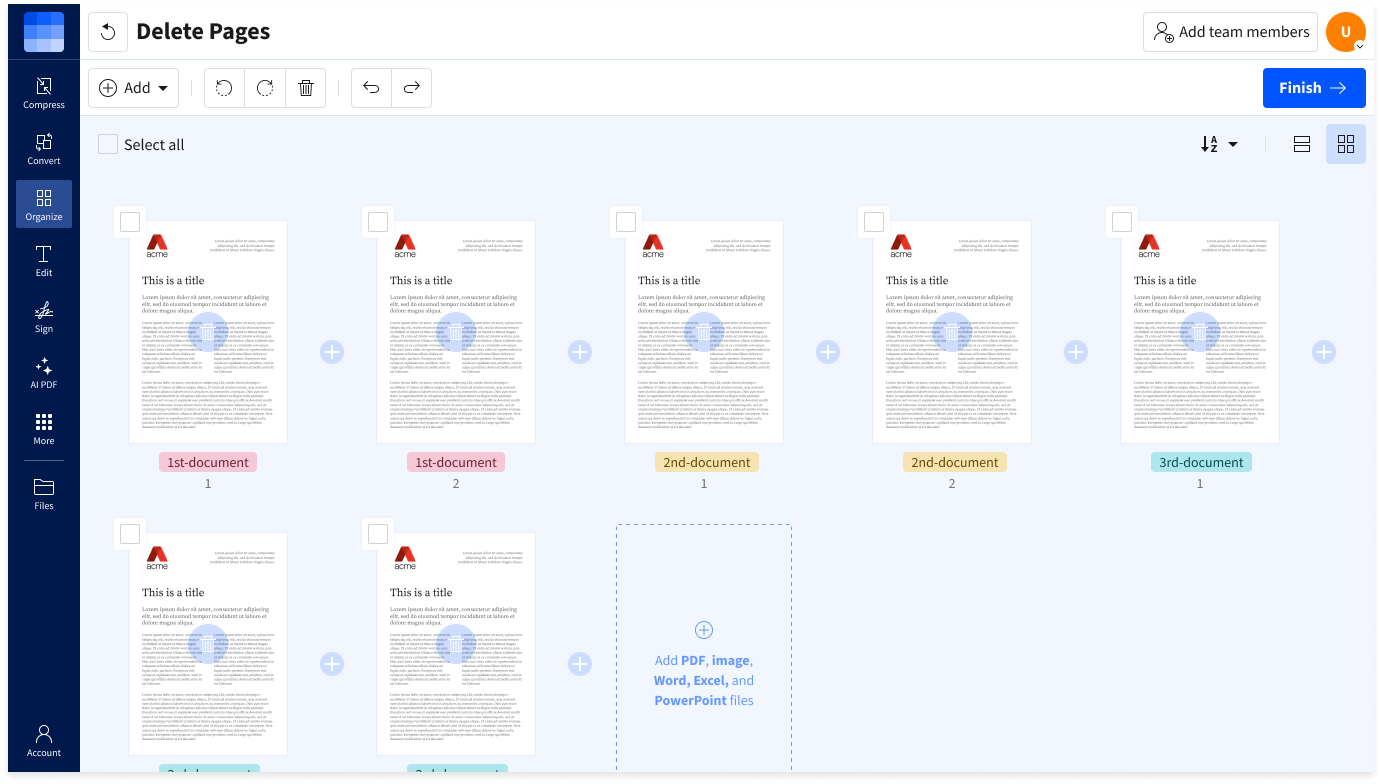
- Import or drag & drop your PDF file to our page deletion tool.
- Click the trashcan icons to remove unwanted document pages.
- Add additional pages, rotate, or duplicate pages if needed.
- Click ‘Finish’ and wait just a second.
- Download or share your new PDF document—that’s it!