Rotate PDF
1B+ users
Secure file transfer with TLS encryption. All files are automatically deleted.
Rotate individual pages or an entire document to fix sideways scans and misaligned pages in seconds. Smallpdf Pro applies your changes across unlimited files, all handled securely inside your browser.
 ISO/IEC 27001
 GDPR
GDPR CCPA
CCPA nFADP
nFADP
- 5MPDFs edited monthly
- 1B+Users worldwide
- 10K+Business teams
- 2013Trusted since
- +40PDF tools
 4.4
4.4 4.6
4.6 4.6
4.6
Get both Smallpdf and Sign.com with one subscription.
PDF Rotate—Quick & Easy

Works on Any Device
Use the Rotate PDF tool on Mac, Windows, iOS, or Android—no software downloads required. Just drag-and-drop, rotate, done.
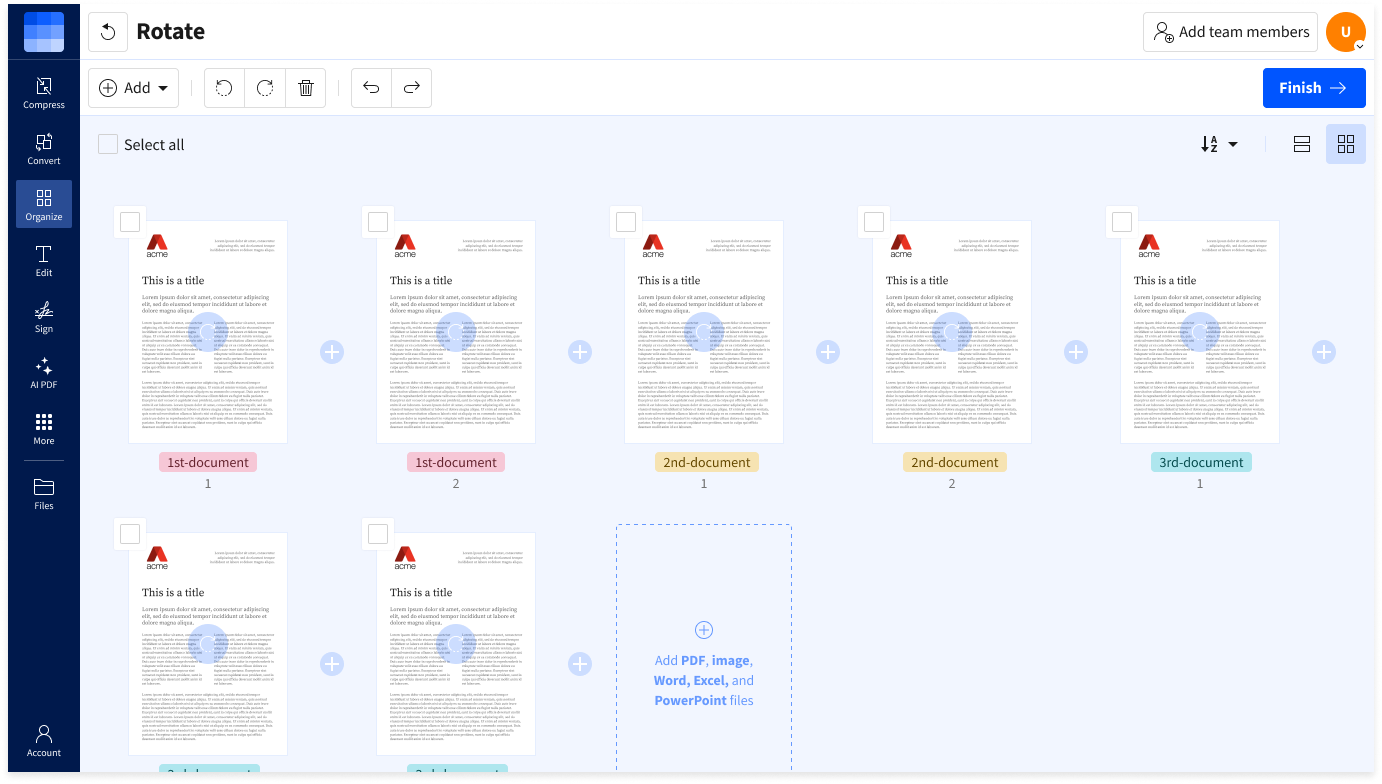
Rotate One Page or the Whole File
Choose a single page when only one scan is sideways, or apply the same rotation to every page in the document at once.
Preserve Layout and Formatting
Rotation changes the direction of the selected page while keeping its text, images, and layout together, so the page remains readable in its new orientation.
40+ Tools for Every PDF Task
Do more than just rotate. Access 40+ PDF tools to edit, merge, compress, and manage your PDFs—all in one place.
Private and Secure Processing
Smallpdf uses TLS encryption during file transfer and automatically deletes uploaded files after one hour. It is also GDPR-compliant and ISO/IEC 27001-certified.
Download a Corrected Copy
Download a new version of the PDF once the pages are facing the right way. The original file saved on your device remains unchanged.
How To Rotate a PDF File Online
- Import or drag & drop your file into our Rotate PDF tool.
- Use the rotate icons to rotate individual PDF pages as desired.
- Click "Finish” and wait just a second.
- Edit the document with our other PDF editing tools if needed.
- Download your new PDF file—easy!