Compress PDF
Compress oversized PDFs without sacrificing a single detail, so they upload, send, and store with ease. With Smallpdf Pro, your files are compressed to the smallest possible size on a secure, Swiss-engineered platform.
 ISO/IEC 27001
 GDPR
GDPR CCPA
CCPA nFADP
nFADP
- 5MPDFs edited monthly
- 1B+Users worldwide
- 10K+Business teams
- 2013Trusted since
- +40PDF tools
 4.4
4.4 4.6
4.6 4.6
4.6
Get both Smallpdf and Sign.com with one subscription.
Everything You Need in a PDF Compressor

Compress Immediately—No Installation
Compress PDFs directly in your browser—no installations, sign-ups, or learning curves. Just upload, compress, and be on your way.
Compress PDFs on Any Device
Smallpdf’s tools are cloud-based, so you can reduce your file size online via any browser and on any device, from desktop to tablet and mobile.
Compress PDFs & Other File Formats
Compress more than just PDFs. Use the tool to reduce other file types, such as Word, PPT, Excel, JPG, PNG, GIF, and TIFF.
GDPR Compliance
Smallpdf is GDPR compliant, which means we’re transparent about how we store, collect, and process your personal data.
ISO/IEC 27001 Certified Security
We’re ISO/IEC 27001 certified, so we’re audited annually to ensure the safety, security, and integrity of your documents.
File Transfer Encryption
Smallpdf keeps your documents secure, even while you’re working on them, with state-of-the-art TLS encryption.
How To Compress a PDF Online
- Drag & drop your file into Smallpdf’s PDF compressor.
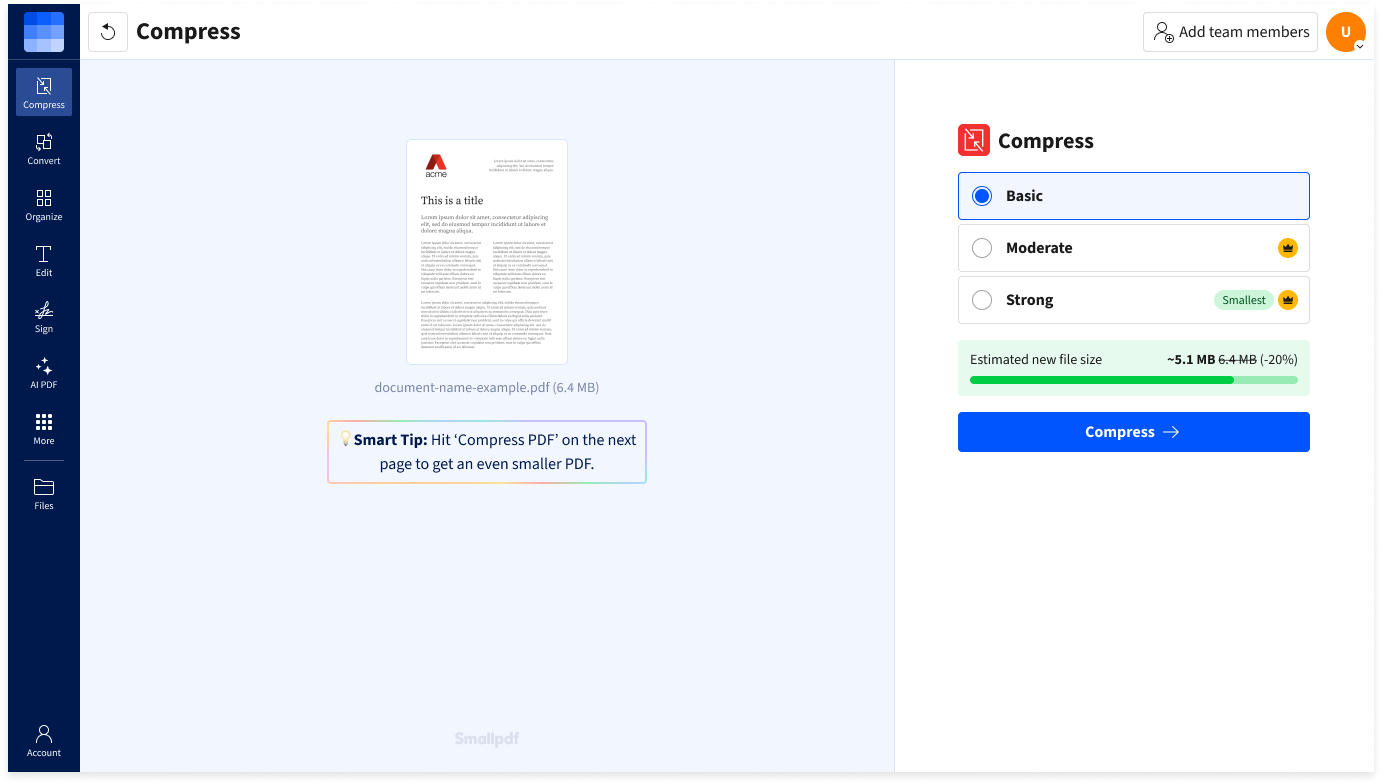
- Choose Basic, Moderate (Pro), or Strong (Pro) compression, then click ‘Compress’.
- If needed, edit your PDF with our other tools.
- Download or share your compressed PDF when you’re done.
PDF Compressing FAQs
Can I compress PDFs with my whole team?
Yes! Our Smallpdf for Teams plan provides unlimited PDF compression for your team. Enjoy 40+ PDF tools (edit, merge, convert, including AI) and flexible payment options for teams of any size.
Will compression affect fonts or document quality?
No. Compressing your PDFs with Smallpdf doesn’t alter fonts in any way. Your document fonts will remain consistent and unaffected by the compression process. This means all text styles, sizes, and embedded fonts are fully preserved, maintaining the PDF’s professional appearance.
Is the compress tool safe to use?
We’re committed to safety and security. In addition to GDPR compliance, Smallpdf is ISO/IEC certified, undergoes annual security audits, and employs TLS encryption to keep your files safe.
Can I compress PDFs on the go?
Yes, our iOS and Android mobile apps let you compress large PDF files on the go, so you can stay productive while traveling or working remotely.
What is the best online PDF compressor?
The best PDF compressor shrinks file size without losing quality. Smallpdf’s Compress PDF tool does just that—offering fast, high-quality compression with “Basic”, “Moderate”, and “Strong” options. Plus, the compressor comes with TLS encryption, GDPR compliance, and ISO/IEC 27001 certification.
How does PDF compression work?
Smallpdf’s PDF compressor analyzes your document, removes redundant data, and re-encodes large images to shrink file size—without sacrificing quality. It’s fast and efficient, and it keeps your content intact.