PDF Annotator
Highlight key passages, add comments, and mark up any PDF so your feedback lands exactly where it belongs. Smallpdf Pro lets you annotate unlimited documents and work seamlessly across all your devices.
 ISO/IEC 27001
 GDPR
GDPR CCPA
CCPA nFADP
nFADP
- 5MPDFs edited monthly
- 1B+Users worldwide
- 10K+Business teams
- 2013Trusted since
- +40PDF tools
 4.4
4.4 4.6
4.6 4.6
4.6
Get both Smallpdf and Sign.com with one subscription.
A Smarter Way to Annotate PDFs Online

Start Immediately—No Fuss
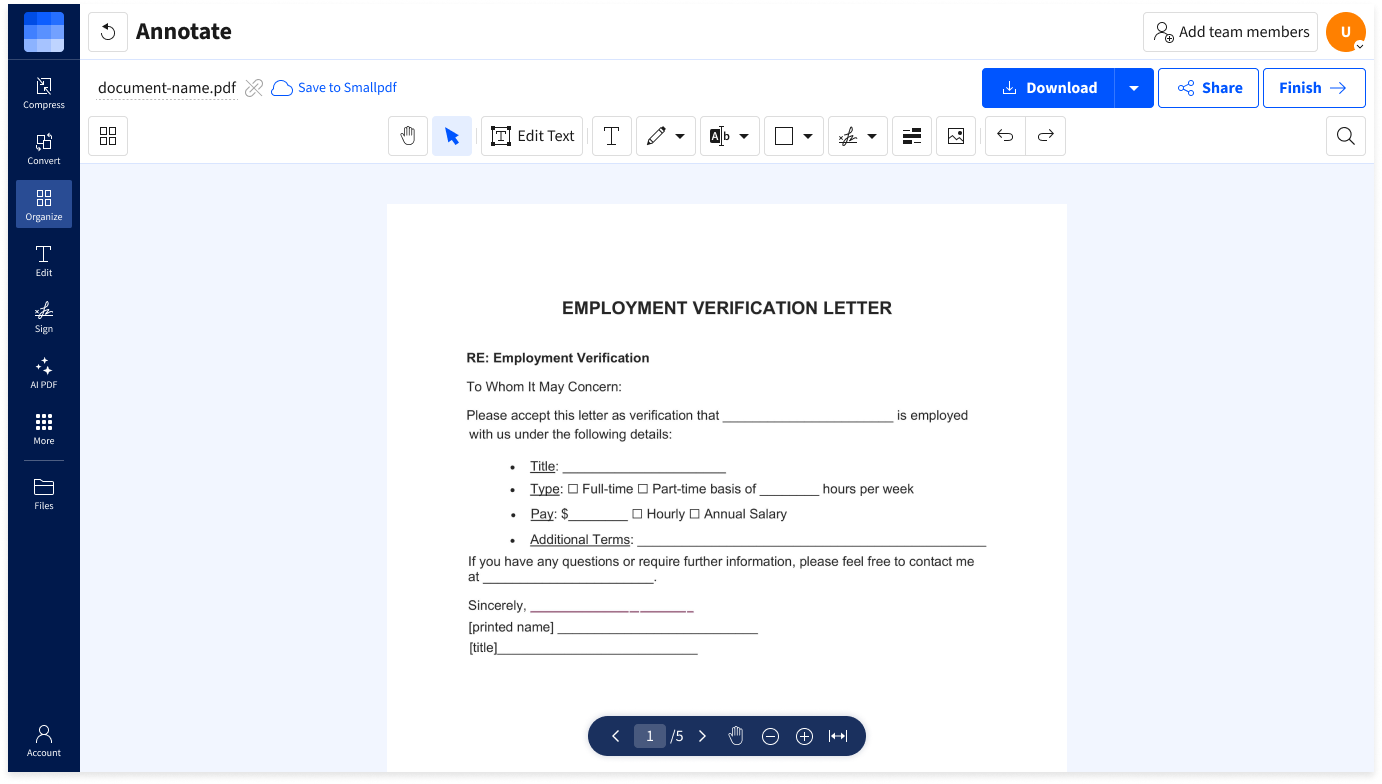
Annotate PDFs directly in your browser. No downloads, signups, or complicated setup. Just upload, annotate, and be on your way.
Highlight Key Information
Emphasize text, figures, or sections with custom highlight colors and a versatile pencil tool to make reviews faster and clearer.
Feedback Where It Counts
Add text or highlights exactly where you need them, so your feedback is always clear, relevant, and actionable.
Secure & Private
We’re GDPR compliant, ISO/IEC 27001 certified, and we protect your files with TLS encryption. Files are auto-deleted after one hour for extra peace of mind.
Show Readers Where to Focus
Circle figures, underline phrases, or use arrows and shapes to guide attention in your PDF. Leave no doubt where people need to focus.
Annotate on Any Device
Whether you’re at your desk or on the go, annotate PDFs from any device with internet access: desktop, tablet, or mobile.
How To Annotate PDF Pages Online
- Drag & drop your PDF into our Annotate tool.
- Use the toolbar to add text, drawings, or shapes.
- Markup the text with highlights, underlines, strikethroughs, and more.
- Click ‘Finish’ to download your PDF, or edit further with 30+ tools.
Annotate PDF FAQs
Can I share my feedback with others in the Annotate tool?
You can add text, highlights, and callouts to share annotated files with others. It’s easy to download your annotated PDFs to share, or create a share link directly in the tool when you’re done.
Do I need to install anything?
Nope. Our Annotate tool works entirely in your browser. No installation needed or signup required.
Will my annotations affect the document’s formatting?
Not at all. Your original layout, fonts, and images remain intact. Annotations are added on top of the original text to keep things clean and organized.
Is the annotation tool safe for confidential files?
Absolutely. We use TLS encryption, are GDPR compliant, and ISO/IEC 27001 certified. Files are deleted from our servers after one hour of processing, unless you choose to create a Smallpdf account and save files to our secure servers.
Can I annotate PDFs on my phone or tablet?
Yes! The Annotate tool works on any device via your browser, and our iOS and Android apps let you annotate on the go.