- Home
- ›
- ›The Storage Drain: The Hidden Cost of Oversized PDFs
The Storage Drain: The Hidden Cost of Oversized PDFs
New survey reveals how unmanaged PDF file sizes are draining workplace productivity.
Smallpdf surveyed 1,000 full-time U.S. employees about how they handle documents at work. From bloated archives to missed deadlines, unmanaged file sizes are costing organizations time, storage, and money. The good news is that the fix may be simpler than most workers think.
Key takeaways
The average size reduction per compressed PDF is 54%.
Half of employees (50%) often or always upload PDFs without checking or reducing file size first.
More than 1 in 2 professionals (56%) have duplicated a PDF multiple times instead of compressing or replacing it.
Over 3 in 4 employees (78%) have personally experienced at least one problem at work due to large file sizes.
More than half of professionals (52%) rarely or never know how large a file actually is before compressing.
Almost 4 in 5 workers (79%) say their company has no formal file compression policy.
A Workplace Without Rules Around File Size
When organizations don't set expectations around document management, oversized files accumulate unchecked, and the data shows most workplaces have no guardrails in place.
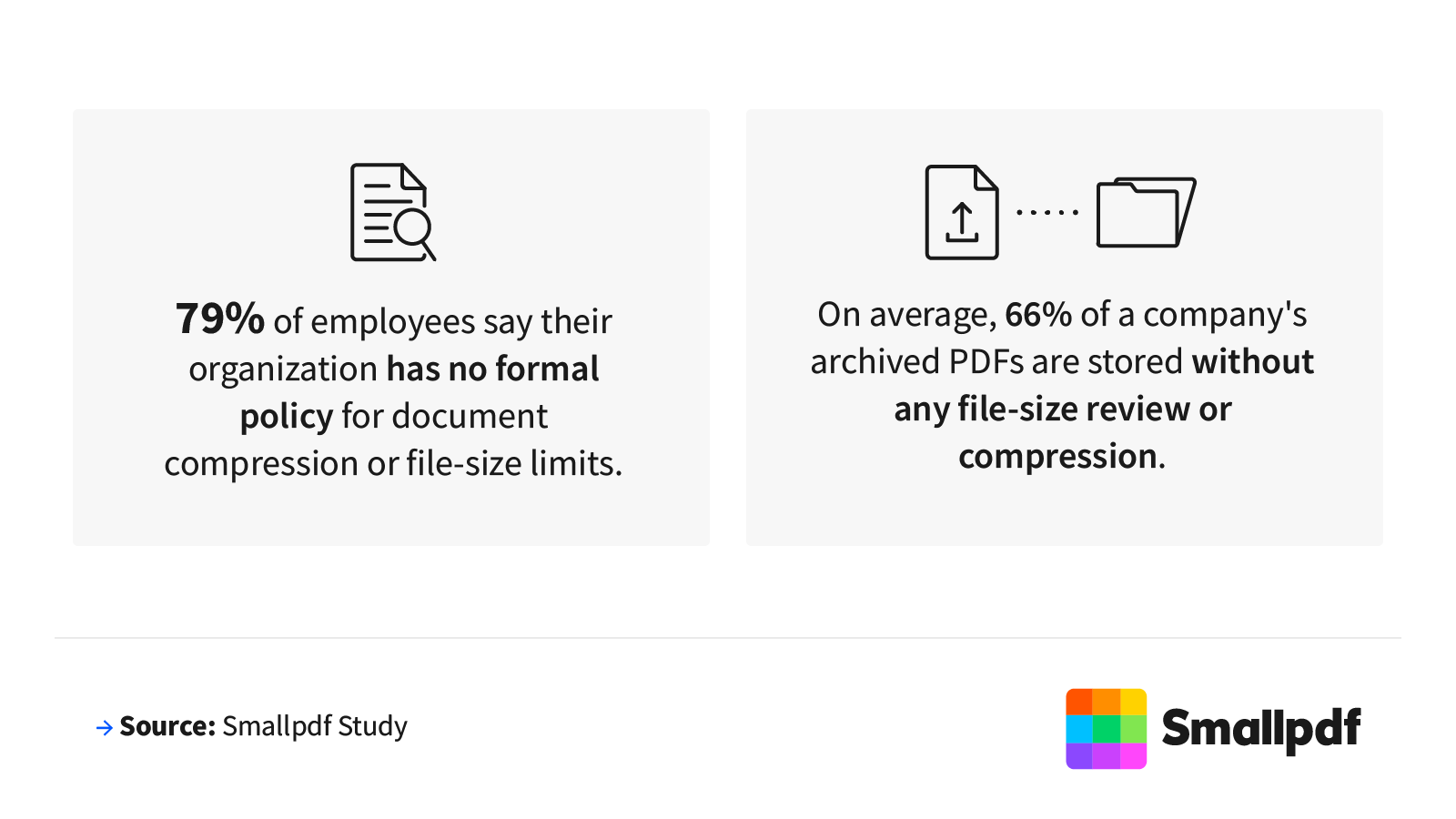
Nearly 4 in 5 employees (79%) say their organization has no formal policy for document compression or file-size limits (62% said definitively no, and 17% didn't know).
An estimated 2 in 3 (66%) archived PDFs are stored without any file-size review or compression.
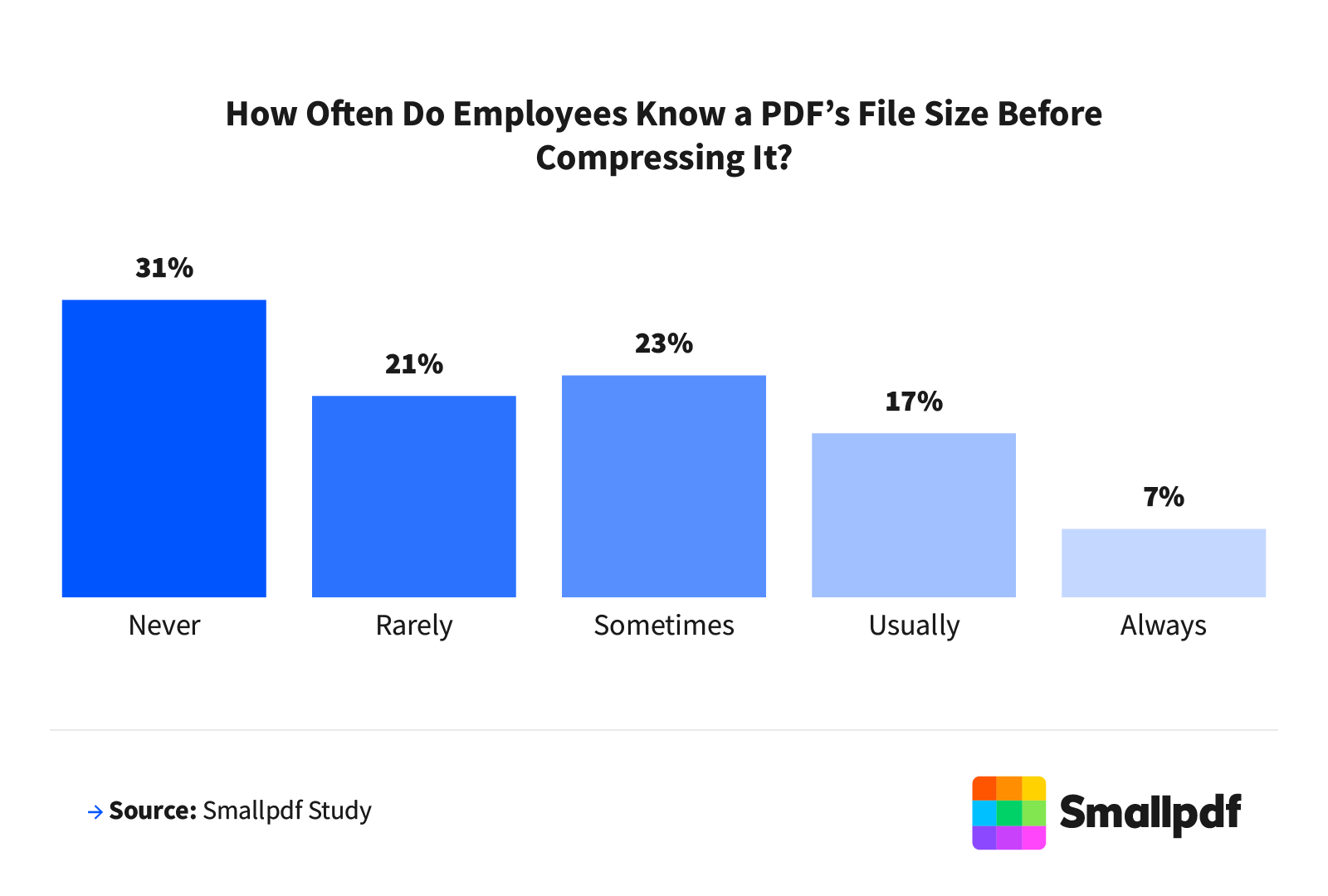
More than half (52%) rarely or never know how large a file is before compressing it.
More than a quarter of companies (28%) never or rarely audit their stored documents.
The Consequences of Oversized PDFs
The ripple effects of unmanaged file sizes extend well beyond storage costs, showing up in missed sends, stalled workflows, and lost hours.
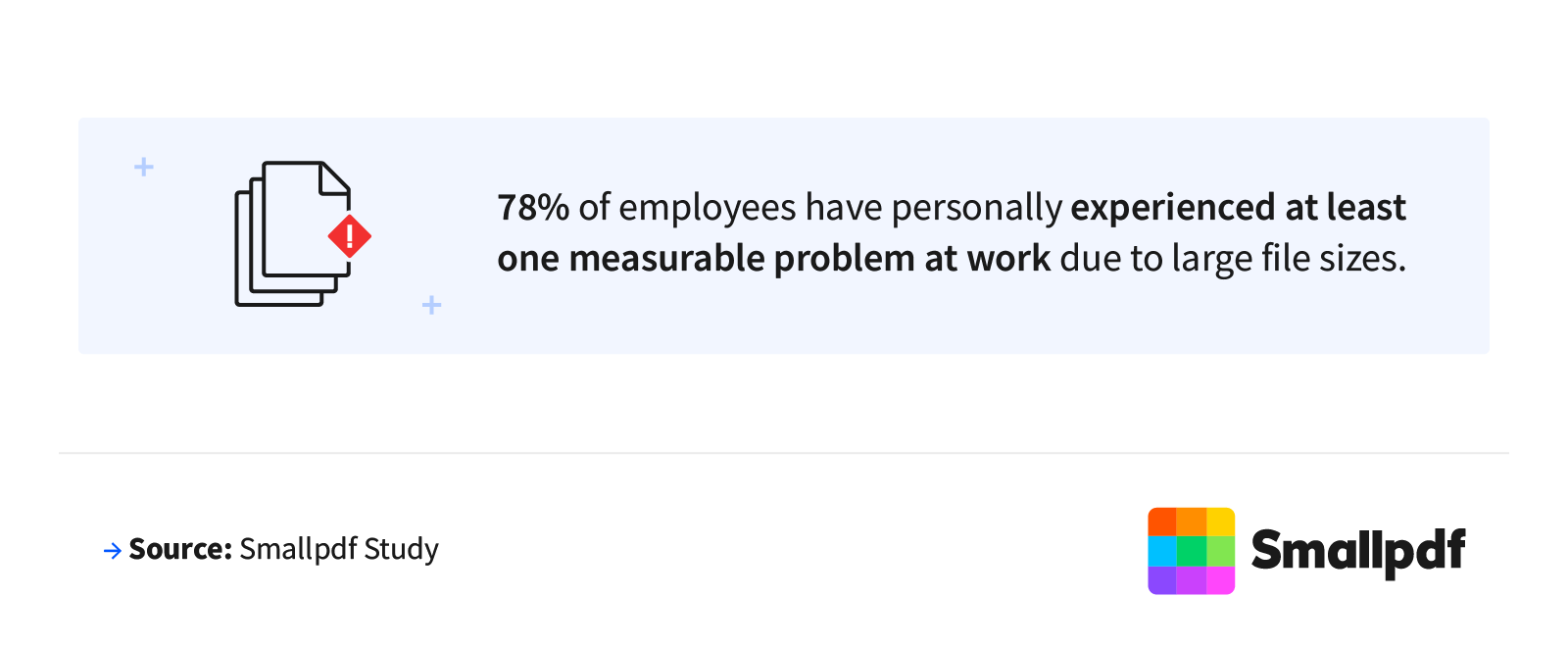
Nearly 4 in 5 employees (78%) have personally experienced a work-related problem caused by large file sizes.
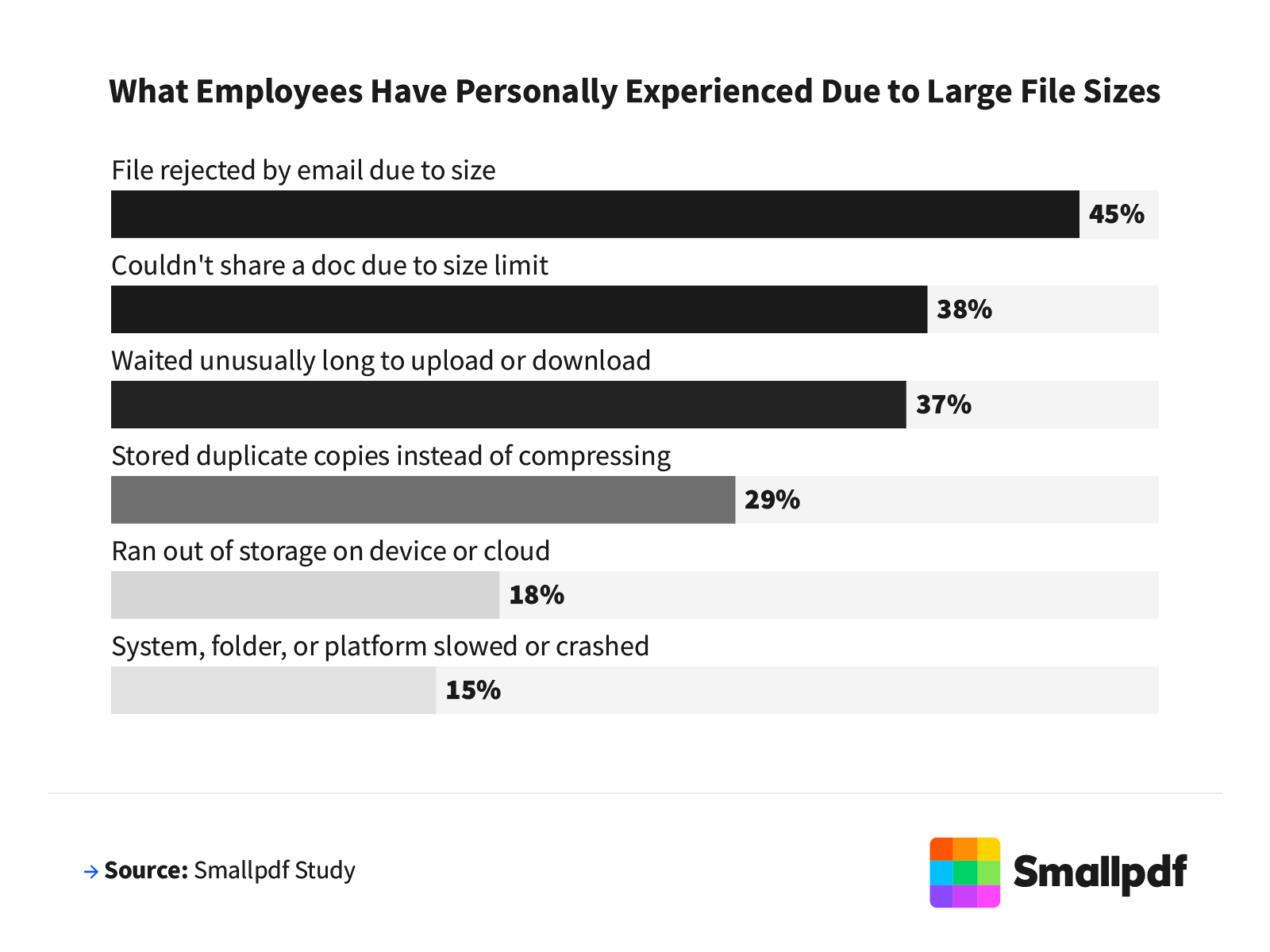
More than 2 in 5 employees (45%) had a file rejected by email due to size limits.
Almost 2 in 5 professionals (38%) were unable to share a document at all.
Thirty-seven percent waited an unusually long time for a file to upload or download.
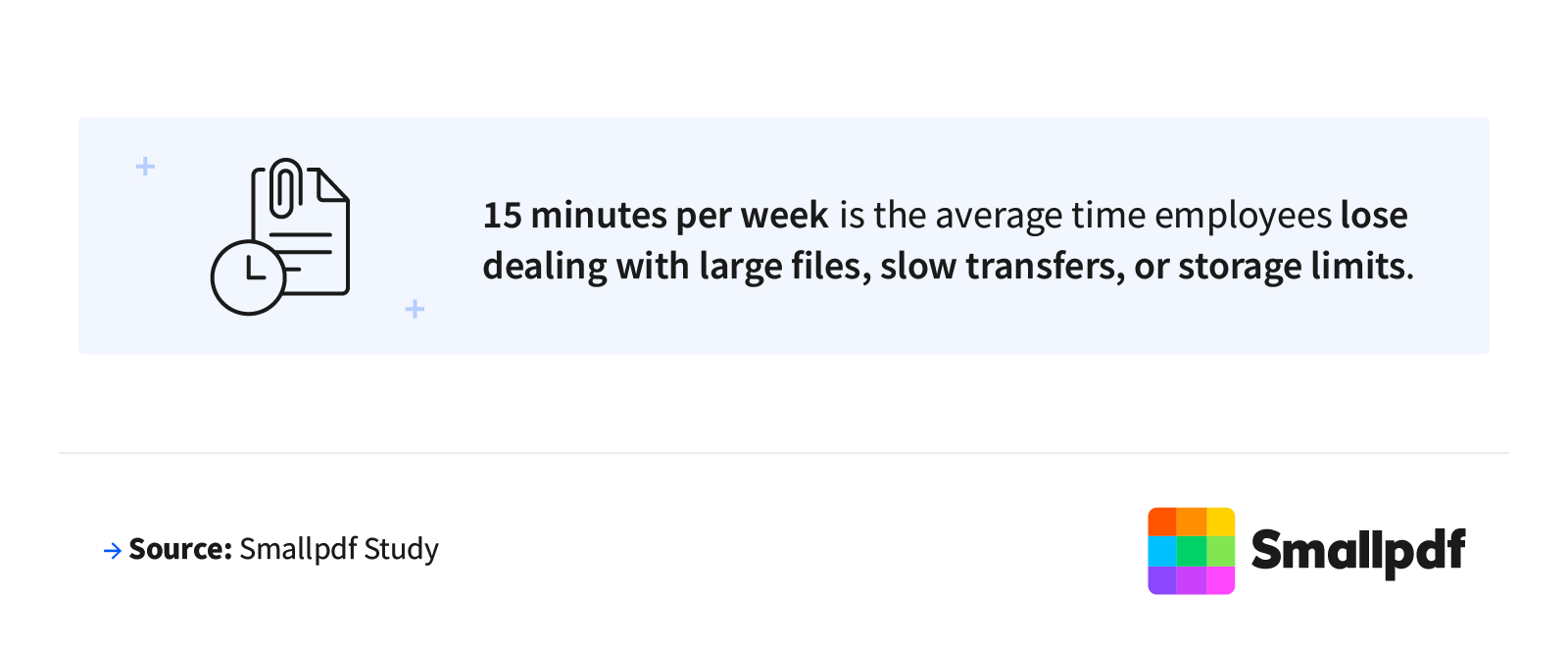
On average, employees lose 15 minutes per week dealing with file-size issues, which is more than 12 hours per year, per person.
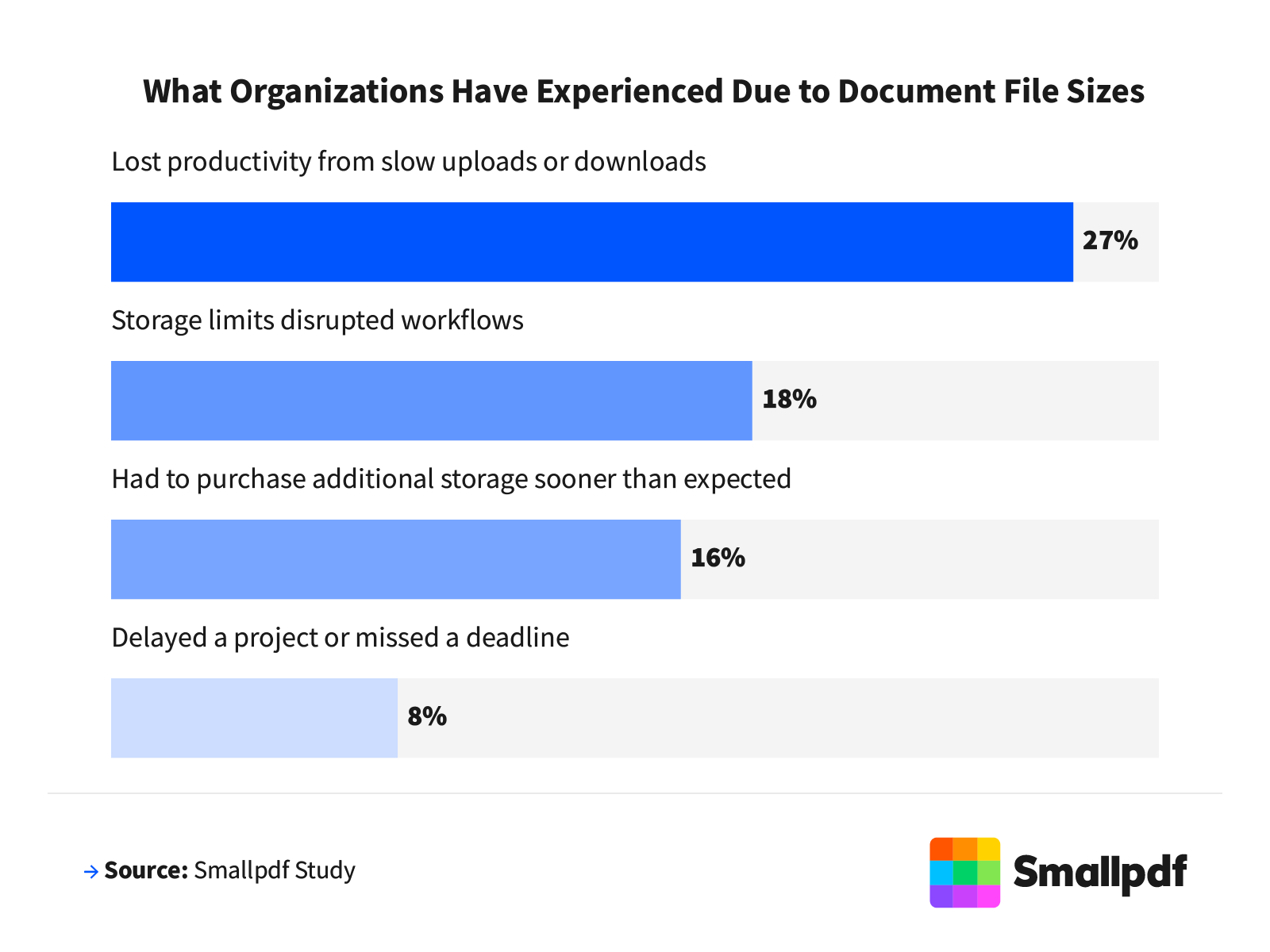
Over 1 in 4 organizations (27%) report lost productivity from slow uploads or downloads.
Nearly 1 in 5 (18%) say storage limits disrupted workflows.
About 1 in 6 (16%) had to purchase additional storage sooner than planned.
Nearly 1 in 10 (8%) say file-size issues delayed or caused them to miss a project deadline.
Nearly 3 in 10 workers (28%) say their company rarely or never audits stored documents (16% say rarely and 12% say never).
More than half (51%) say they would compress files more often if the process were easier.
PDFs Are Growing, and No One Is Checking
Most employees aren't thinking about file size when they upload a document, and the data makes that pattern hard to ignore.
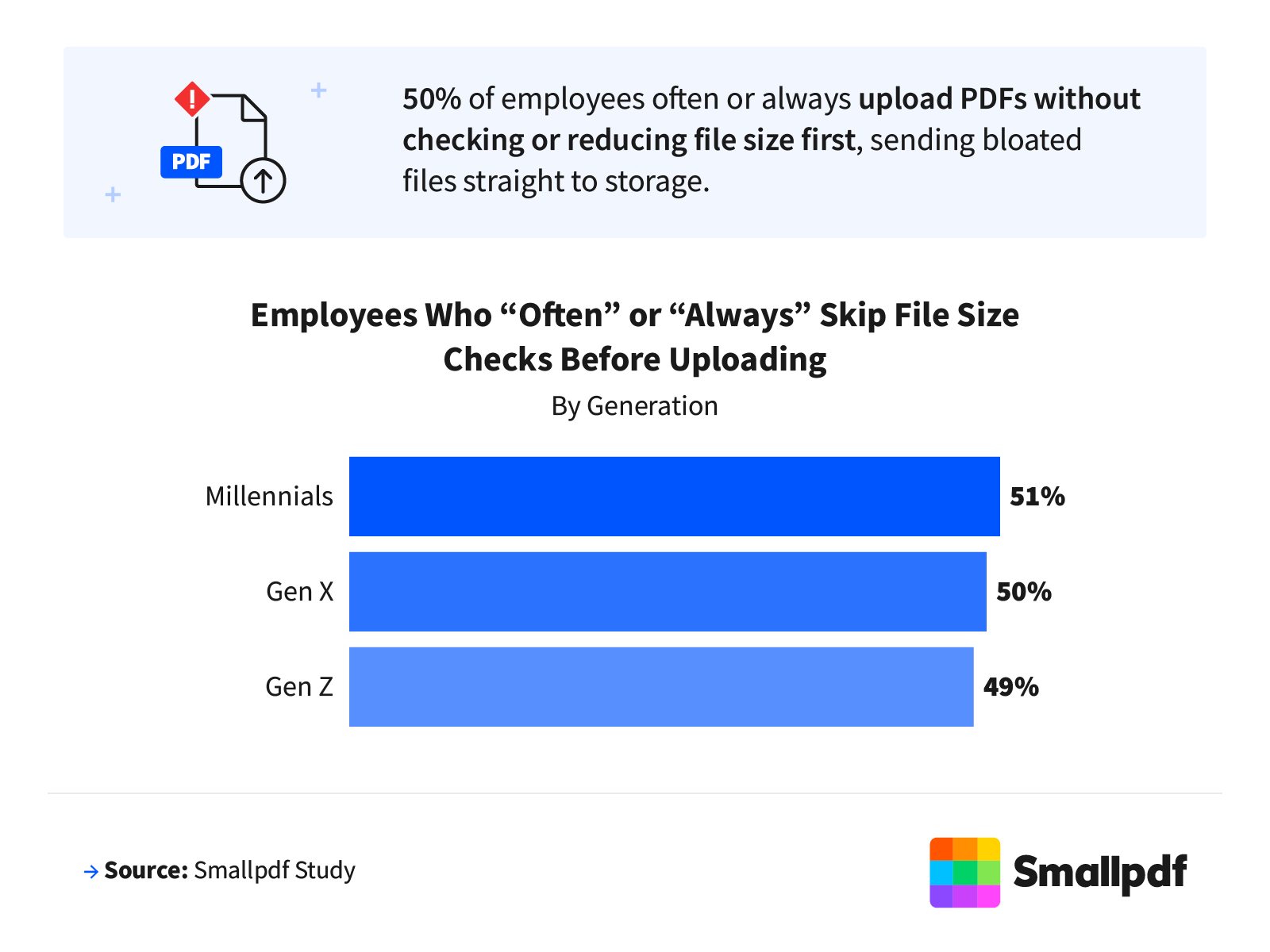
Half of all employees (50%) often or always upload PDFs without checking or reducing file size first.
Millennials (51%), Gen X (50%), and Gen Z (49%) upload without checking at nearly identical rates.
Compressing a PDF reduces file size by an average of 54%, according to Smallpdf internal data.
More than 1 in 2 professionals (56%) have duplicated a PDF multiple times instead of compressing or replacing it.
Over 4 in 5 (81%) employees don't think about file size until it causes a problem.
Small Files, Big Impact
When it comes to file size optimization, many organizations are paying a real price for a problem they rarely talk about. Without compression habits, file-size awareness, or formal policies in place, oversized PDFs pile up in archives, slow down workflows, and chip away at productive time that no one has to spare. Building a simple, consistent approach to document compression before uploading rather than after a problem strikes is one of the lowest-effort changes teams can make with an outsized impact on day-to-day efficiency.
Methodology
SmallPDF commissioned an online survey of 1,001 full-time U.S. employees conducted in March 2026. Respondents were screened for full-time employment status and represent a range of industries, generations, and role levels. The sample includes workers across healthcare, information technology, education, accounting/finance, government/public sector, manufacturing, retail/e-commerce, and other sectors.
Generational breakdowns reflect Gen Z (13%), millennials (59%), Gen X (25%), and 4% baby boomers. The averages for open-ended numeric responses were calculated using the interquartile range (IQR) method to limit the influence of outliers. Industry-level findings are reported only for segments with at least 50 respondents. Percentages may not sum to 100% due to rounding.
About Smallpdf
Smallpdf is a leading online document management platform trusted by millions of users worldwide to simplify the way they work with PDFs. From compressing and converting to editing and e-signing, Smallpdf offers an intuitive suite of tools that help professionals, students, and businesses handle documents faster and more efficiently. As oversized files continue to create friction in the modern workplace, Smallpdf's PDF compression tool offers a quick, easy solution to reduce file sizes without sacrificing quality.
Fair Use Statement
The data and findings in this article are intended for noncommercial use only. If you share or reference this content, please provide proper attribution and a link back to Smallpdf.
Related Articles
