- Home
- ›Watermark PDF
Add a Watermark to PDF
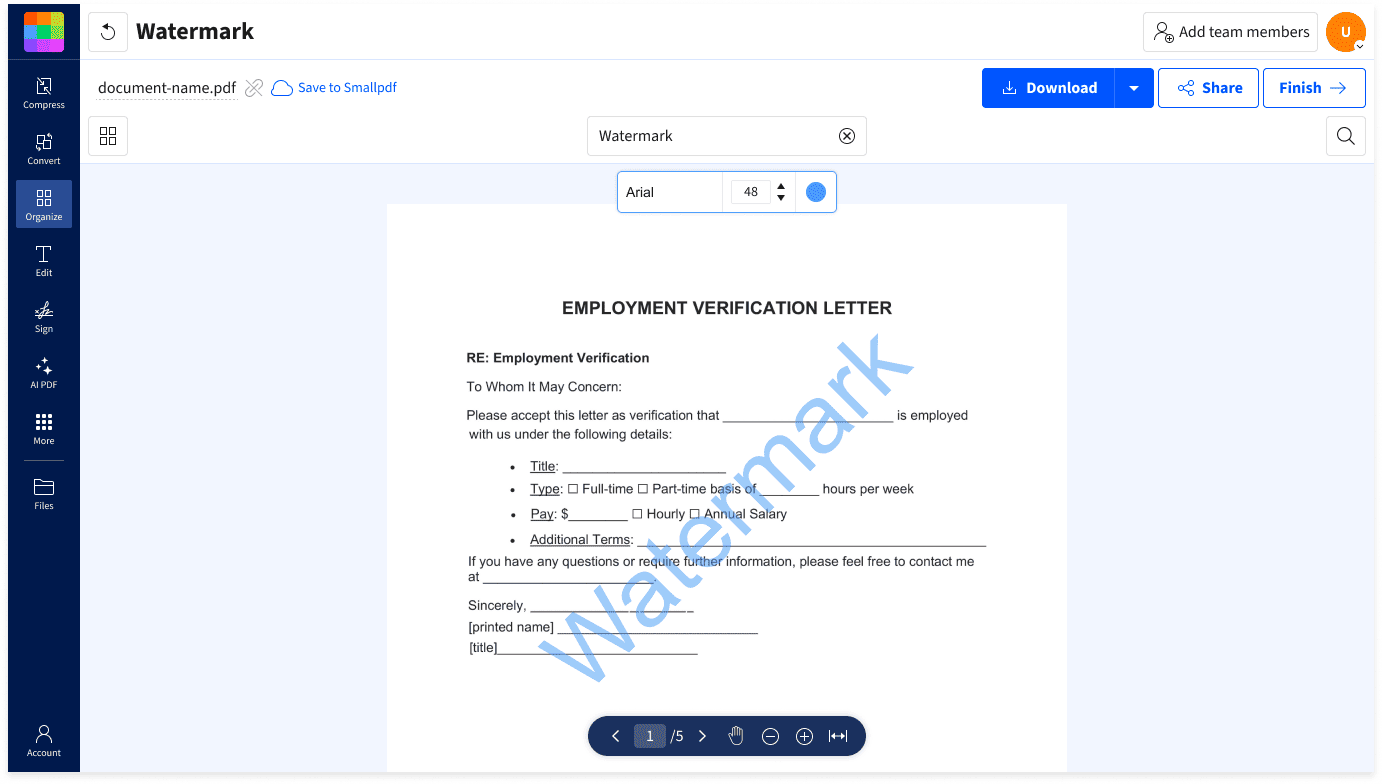
Need to easily add a watermark to your PDF documents? Add text watermarks to PDFs for free using our online PDF Watermarker. Customize text, font, size, color, and opacity in seconds—right in your browser. No downloads, no signups required.
- Add custom PDF watermarks in seconds
- Trusted by over 1 billion people since 2013
- Works on Mac, Windows, Linux, iOS, and Android
Protect and Personalize Your PDFs with Watermarks
Mark a document as confidential, prevent unauthorized use, or brand it with your company name. Our Watermark PDF tool makes it easy to add custom text watermarks with the font, color, and style you need in just a few clicks.
Add Custom Watermarks in Seconds
Add your own text and style it with custom fonts, sizes, colors, and opacity. No design software or technical skills needed to make it look great.

Protect Your Content
Mark your PDFs to prevent unauthorized use and ensure credit for your work. A clear, visible watermark makes ownership and permission levels clear.

Brand with Ease
Add your company or client name to every page for a consistent, professional look. Reinforce brand identity while maintaining a polished, unified look.

How To Add a Watermark to PDF Pages Online for Free
- Drag & drop your PDF into the Watermark PDF tool.
- Type your watermark text in the input field.
- Customize the font, size, color, and opacity.
- Click ‘Finish’ to download or share your watermarked PDF.
Everything You Need in a PDF Watermark Tool

Start Immediately, No Fuss
Add watermarks directly in your browser with ease. No software downloads. No account signups. No learning curves.
Works on Any Device
Use the Watermark tool on Mac, Windows, Linux, iOS, or Android. It works smoothly in Chrome, Safari, Firefox, Edge, and other modern browsers.
Customize Your Watermark
Adjust text, font, size, color, and opacity for a watermark that fits your document and your brand perfectly.
Protect Sensitive or Confidential Files
Clearly label PDFs to avoid unauthorized sharing or misuse. Protect confidential or proprietary information with visible, tasteful watermarks.
Consistent Branding
Add company names, department labels, or project codes for consistent internal and external sharing. Pick the fonts and colors that match your look.
Safe From Start to Finish
TLS encryption, GDPR compliance, and ISO certification keep your data secure. Files are auto-deleted after one hour for extra peace of mind.
Watermark PDF FAQs
What can I use as a watermark?
You can add any text to protect or brand your PDF. Labels like “Confidential,” “Draft,” your name, or your company name are popular. But the choice is up to you.
Can I add image watermarks?
This tool supports text watermarks only. To add logos, graphics, or image watermarks, use our Edit PDF tool, which lets you insert images of any type onto your PDF pages.
Is the Watermark PDF tool free?
Yes! You can add text watermarks to PDFs for free. There are some usage limits for free users, but that doesn’t stop you from trying it out. Upgrading to Pro gives you unlimited watermarks and access to over 30 other PDF tools.
Will the watermark appear on every page?
Yes, the watermark applies to all pages in your PDF automatically. This ensures consistent protection or branding throughout your entire document.
Is my document secure during the watermarking process?
Absolutely. We use TLS encryption for all file uploads and downloads. We also automatically delete all files from our servers after one hour of processing, unless you choose to create an account and save your files on our secure servers.
Can I batch add watermarks to multiple PDFs?
Yes. You can do this for free with Smallpdf's Watermark tool. To do so, scroll up and follow the steps in Method 1 with one change: When you upload the PDF you want to watermark, select multiple PDF files at once. This will let you add the same watermark to all of your PDF pages across multiple documents at once!