Free PDF Scanner for Your Phone
Scan to PDF for free on your iOS or Android phone. It’s never been easier to turn your paper documents and photos into high-quality PDFs!
- Scan to PDF and OCR conversion
- Merge, convert, and compress PDFs on the go
- Share the scanned PDFs directly from your phone




Powerful PDF Tools in Your Pocket

Scan to PDF & OCR
Scan and convert any document to PDF. Add filters, crop, rotate, and use OCR to make text searchable and editable.

PDF Management on the Go
Work with your PDFs on the go: Compress, convert, edit, merge, rotate, reorder, crop, and delete pages.

Sync to the Cloud
Save scans on your phone or create a Smallpdf account to sync your files across devices and use them on web.
All the PDF Tools Your Team Needs

Merge, Split, & Organize
Turn multiple PDFs into one, separate the files’ pages, and reorganize them.
Compress
Reduce the size of your PDF files for easy sharing and storage optimization.
Convert
Convert PDFs to Word documents, Excel sheets, or PowerPoint presentations.
Edit & Annotate
Highlight text, redact confidential information, annotate, and even watermark.
Fill & Sign
Sign PDF documents and request signatures with security and legal compliance.
AI-Powered
Use our ever-evolving AI features to summarize, translate, and chat with PDF documents.

How To Scan to PDF for Free
- Download the PDF Scanner app to your phone
- Click the round blue button
- Select “Scan with camera” and take a photo
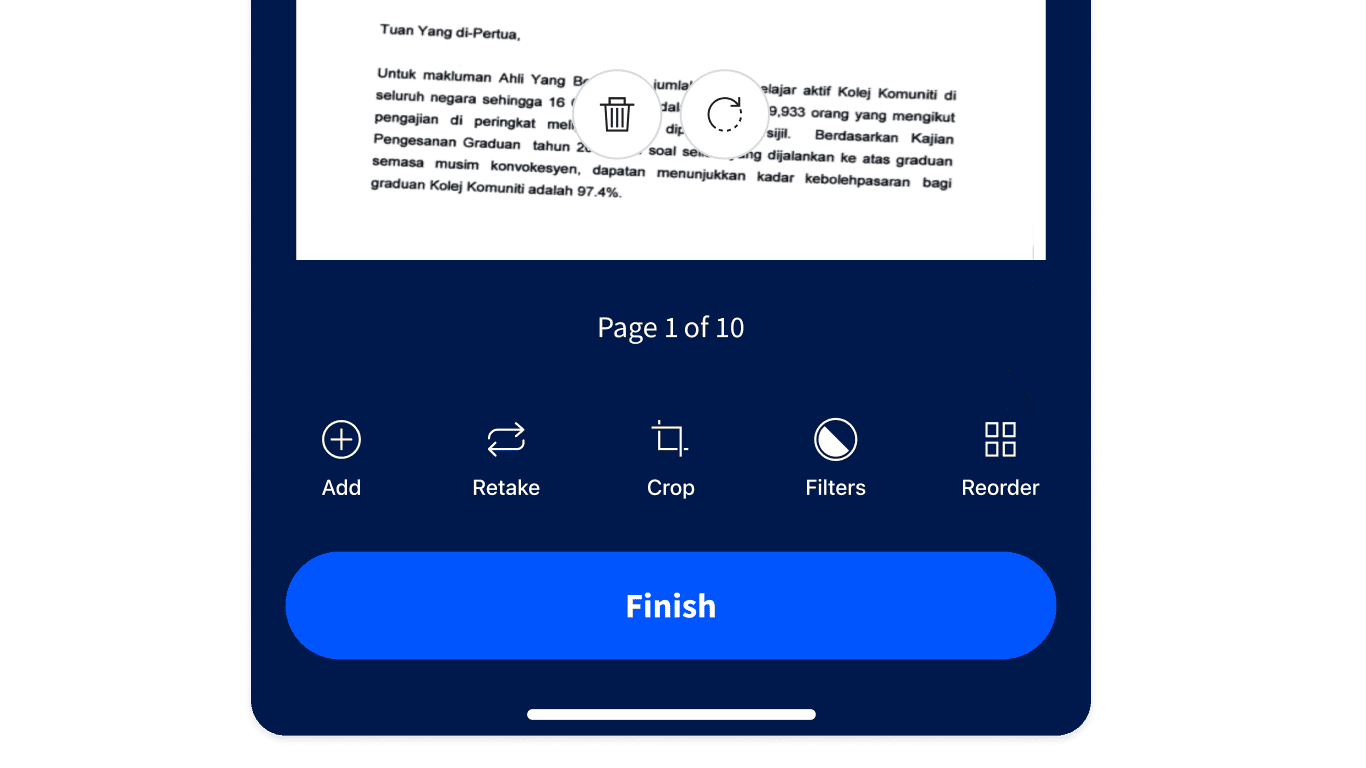
- Pick a filter, crop, or rotate as you wish
- Tap “Use” if you’re happy with the result or scan more documents
- Tap “Finish”—easy-peasy!

FAQs About Using Our Free PDF Scanner
Is it possible to scan PDFs using the Smallpdf Mobile App?
Absolutely! All you need to do is download the Smallpdf Mobile App to your device and start scanning.
Are documents scanned with the Smallpdf Mobile App available on the Smallpdf website?
Yes. The Smallpdf Mobile App integrates with the Smallpdf website, so your documents are stored in one place and accessible to you anytime, anywhere.
Is the Smallpdf Mobile App free to use?
Yes, the Smallpdf Mobile App is free. Smallpdf Pro users get access to expanded mobile tools and features.
Can I convert a scan to Word, JPG, Excel, or PowerPoint?
Yes. Scans made with the Smallpdf mobile scanner are saved as PDFs by default, but you can change the format afterward. Open the file you created, tap the icon for more options, and select "Convert to..." The app then shows the available file types, including Word, JPG, Excel, and PPT. Check the converted file before you send it, as layout and formatting from a scan don't always carry over cleanly.
Get Your Free PDF Scanner App