- Home
- ›ODS to PDF
ODS to PDF
Convert ODS to PDF online and turn spreadsheet data into a clear, shareable document. Add your OpenDocument Spreadsheet, and Smallpdf will prepare a PDF copy in seconds. No extra software needed.
- Convert .ods to PDF automatically
- Share spreadsheet content without sending the editable file
- Protected with TLS encryption for secure file transfers
Make Spreadsheet Data Easier To Share
Convert ODS to PDF for free when you need a clean copy of a spreadsheet for sending, printing, filing, or review. Upload your .ods file, and Smallpdf will create a PDF version you can download or keep working with.
Turn Sheets Into Static Documents
Spreadsheets are made for editing, calculating, and organizing data. PDFs are better when the information needs to be viewed as a finished document. Converting ODS to PDF gives you a fixed copy of the visible spreadsheet content.

Useful for Tables, Lists, and Reports
ODS files can hold anything from budgets and schedules to stock lists, data tables, invoices, and internal reports. A PDF makes that information easier to archive, present, or send to someone who does not need spreadsheet access.
No Spreadsheet App Required
You do not need to open LibreOffice, OpenOffice, or another spreadsheet program to export your file manually. Drop your ODS file into Smallpdf, and the conversion starts automatically.

How To Convert ODS to PDF Online for Free
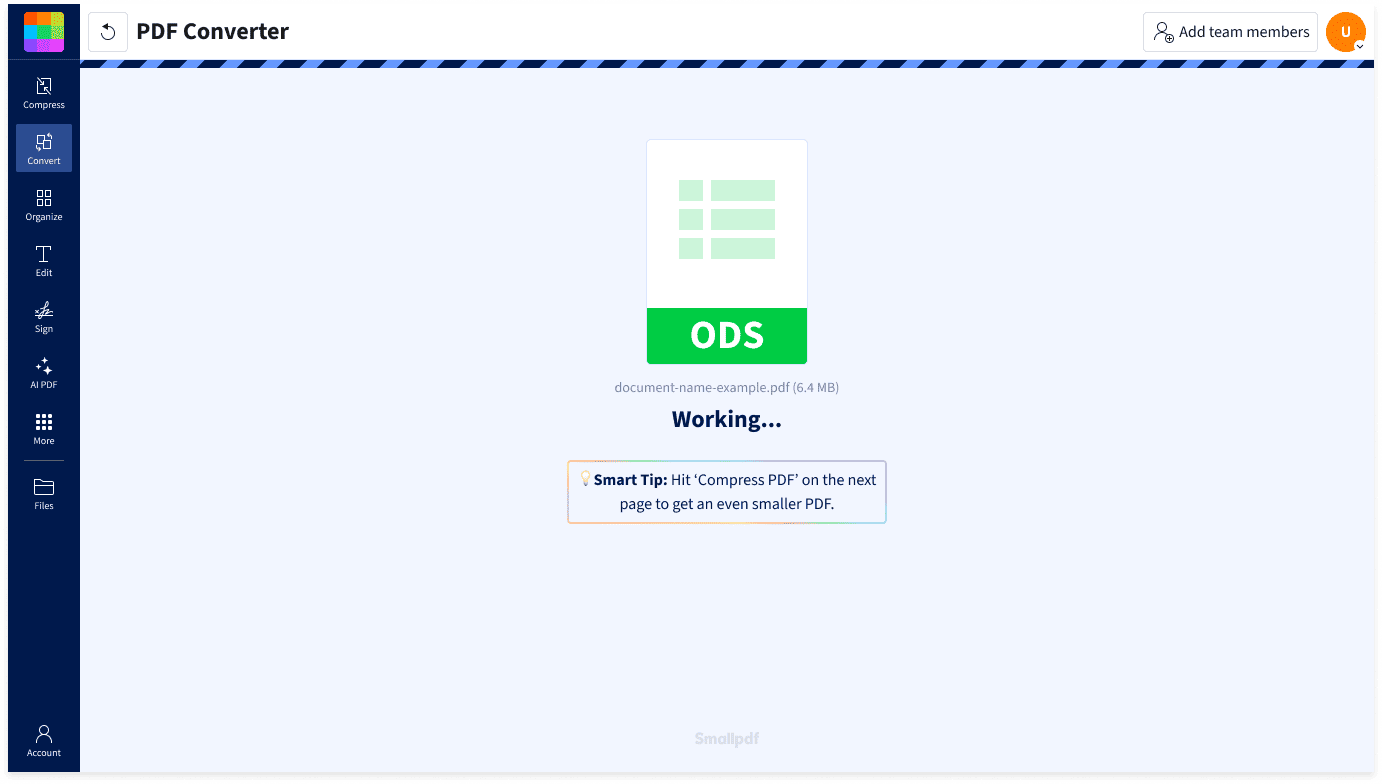
- Import or drag & drop your file into our ODS to PDF Converter.
- Smallpdf will automatically begin turning your spreadsheet into a PDF.
- Wait a few seconds, then download your new PDF.
- You can also export the file as Word, Excel, PowerPoint, or JPG if needed.
A Better Way To Send Spreadsheet Copies

Share the View, Not the Working File
Sometimes people only need to see the numbers, not change them. If you convert your ODS to PDF, you can share a non-editable copy of your spreadsheet while keeping the original file separate.
Create Records From Live Data
Spreadsheet files often change as figures are updated, rows are added, or formulas are adjusted. A PDF gives you a saved version of the sheet at a specific point in time, which is helpful for approvals, reports, audits, and internal records.
Keep Data Easier To Open
Not every recipient uses software that opens ODS files smoothly. A PDF gives them a more familiar format for viewing the spreadsheet content without asking them to install a separate app.
More Ways To Use the Converted File
After converting your ODS file to PDF, you can download it right away, or you can use other Smallpdf tools to compress or edit the PDF, or even redact sensitive data before sharing it.
Files Removed Automatically
Your uploaded ODS file and converted PDF are automatically deleted from our servers after one hour, unless you choose to save them to your Smallpdf account.
Secure Handling for Spreadsheet Files
Smallpdf protects file transfers with TLS encryption and follows GDPR requirements. Our information security management system is also ISO/IEC 27001 certified, adding another layer of protection when you convert ODS to PDF online.
ODS to PDF FAQs
Can I convert ODS to PDF for free?
Yes. Smallpdf lets you convert ODS files to PDF online for free. Upload your OpenDocument Spreadsheet (.ods), and the tool will generate a PDF version of the spreadsheet that you can download and share. Free usage limits may apply.
What opens an ODS file?
ODS files are OpenDocument Spreadsheet files. They are commonly opened with LibreOffice Calc, Apache OpenOffice Calc, Microsoft Excel, and other spreadsheet apps that support the OpenDocument format. If the recipient only needs to view the information, converting ODS to PDF can make the file easier to share.
Why can’t I convert my ODS file to PDF?
Your ODS file may not convert if it is corrupted, password-protected, too large, or contains elements the converter cannot process. Try opening the file first to check that it works, then upload it again. Saving a fresh copy of the spreadsheet may also help.

Document Work Made Easy
Boost productivity in your business with unlimited access to all Smallpdf’s tools for taking the hassle out of document work. Do more, better, faster.