


- CompressConvertAI PDF
- Organize
- View & Edit
- Convert from PDF
- Convert to PDF
- SignMoreScan
Merge PDF
Merge your PDF files quickly and easily online into a single, professional document. Our user-friendly and fast PDF merger is free and adds no watermarks.
✅ Merge multiple PDFs into a single file in seconds
✅ Works online on any device and operating system
✅ Trusted by 1.7 billion people since 2013
Combine PDF Files in Seconds

Simple Online Tool to Combine PDFs
With our Merge PDF tool, combining multiple files into one document is quick and effortless. Simply upload your PDFs, and our tool takes care of the rest. It’s free to use, with no hidden steps, and no registration needed.

Secure Online PDF Merging
Your files are secure with us. Your uploaded files are encrypted using TLS, and they’re automatically deleted from our servers after one hour. For more details, check out our privacy policy.

Works on Any Device
Merge multiple PDFs easily right from your web browser—no downloads or installations required. Combine PDF documents seamlessly on Mac, Windows, Linux, or mobile. Prefer offline? Use our Windows app on your computer for fast and efficient merging anytime.

Preview and Organize with Thumbnails
Upload your PDFs, and we’ll show you a preview. Rearrange PDF pages into the desired order, delete what you don’t need, or add more files before merging. It’s quick, simple, and fully customizable to suit your needs.

Reliable PDF Merging
Say goodbye to expensive software—our PDF merger is free, simple, and secure. Your file is protected with industry-standard TLS encryption, so you can merge PDFs into a single file confidently, knowing your data stays safe and private.

Cloud-Based Processing
Our online PDF merger is cloud-based, saving your device’s resources and giving you the freedom to merge PDFs from anywhere, anytime.
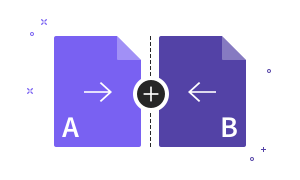
How to Merge PDF Files Online for Free
- Drag & drop your file into our free PDF Merger at the top of this page.
- Add extra files if needed: PDFs, images, or other file types.
- Rearrange and rotate the pages as necessary.
- Hit ‘Finish’ to combine your files into a single PDF.
- Download, save to Google Drive, or share your merged file—done!
Merge PDF FAQs
What file formats are supported for merging?
Combine PDF documents with other PDFs, Word, Excel, and image files like JPG and PNG.
Is it possible to merge PDF and JPG files together?
Yes! You can combine your PDFs and JPGs into a single file by uploading them to the Merge PDF tool. Just upload all your files, rearrange the pages as needed, then merge to create your single file.
How can I reduce the size of a merged PDF?
Combine your PDFs, then reduce the file size without losing quality using our Compress PDF tool.
What’s the best way to combine PDF files offline?
Stay productive offline by using the Smallpdf Mobile App (iOS and Android). It allows you to securely merge, edit, and organize PDFs directly on your smartphone, even without an internet connection.
How can I merge PDF files on a Mac?
Merge your PDFs effortlessly on any Mac browser with Smallpdf's online tool. Simply upload your files, arrange them as needed, and merge them into a single document—no software installation necessary.
Is it possible to combine PDF files directly in Google Drive?
Although Google Drive lacks a built-in merge function, you can utilize Smallpdf's Merge PDF tool to combine your PDF files and then save them directly to your Google Drive.
Merge PDF Blog Articles

How To Merge PDF
How To Combine PDF Files on a Mac
Learn three simple ways to merge PDF files on your Mac using Preview, Finder, or Smallpdf
Read article
How To Merge PDF
How To Merge Word Documents
Combine Word files into one document with reliable methods
Read article
How To Merge PDF
How to Combine Multiple PDF Files in a ZIP Folder
Learn how to zip multiple PDF files into one folder—and when merging them into a single document makes more sense for sharing or storage
Read article