


- CompressConvertAI PDF
- Organize
- View & Edit
- Convert from PDF
- Convert to PDF
- SignMoreScan
PDF to Word Converter
Convert PDFs to editable Word documents online for free. Our tool requires no sign-up and adds no watermarks.
✅ Convert PDFs to Word documents quickly and easily
✅ Accessible on Mac, Windows, iOS, and Android
✅ Join over 1.7 billion users
Convert PDF to Word With Ease

Quick PDF Conversion Without Sign-up
No sign-ups, no fuss! Turn a PDF file into a Microsoft Word document in just seconds—fast, free, and ready for download without any extra steps.

Safe Document Processing
Your file and data privacy is our priority. We use secure TLS connections, comply with GDPR regulations, and are ISO/IEC 27001 certified. All files are deleted automatically from our servers after one hour. Learn more about our commitment to privacy here.

PDF to Word Conversion on Any Operating System
Convert PDF files seamlessly across all devices and systems, like Mac, Windows, and Linux. Transform PDFs into Word files on iOS, Android, or use our desktop app for convenient offline conversions anytime.

Online PDF Conversion Without Losing Quality
Converting PDFs to DOCX files doesn’t have to be difficult. Thanks to our partnership with Solid Documents and Abby, we deliver outstanding accuracy, advanced functionality, and a seamless experience every time.

Scanned PDF to DOCX With OCR
With our OCR (Optical Character Recognition) technology, extracting text from a scanned PDF file is effortless. Turn it into an editable Word document in seconds and access all our powerful PDF tools by trying our 7-day free Pro trial today!
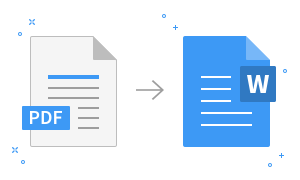
How to Convert PDF to Word Online for Free
- Drag & drop your PDF into the converter at the top of this page.
- For scanned PDFs, select the ‘OCR’ option (Pro feature).
- Wait just a second as your PDF transforms to DOCX.
- Download or share your converted Word doc—done!
Convert PDF to Word FAQs
Can I convert PDFs to Word for free?
Yes! Smallpdf's PDF to Word converter is free to use. A Pro subscription unlocks unlimited conversions and access to over 30 additional PDF tools. Try it free for 7 days and cancel anytime during the trial.
Can I convert to other Microsoft Office formats?
Absolutely! Our PDF converter effortlessly handles conversions between Word (DOC, DOCX), Excel (XLS, XLSX), PowerPoint (PPT, PPTX), and various image formats.
Will my formatting be preserved when converting to Word?
Absolutely! Our collaboration with Solid Documents and ABBYY guarantees that your converted document will retain the original fonts, layouts, and formatting. Your document will appear identical to the original.
Can I convert PDFs to Word on the go?
The Smallpdf Mobile App allows you to use all Smallpdf tools, including PDF conversion, offline. It is available for free on iOS and Android.
Is Smallpdf safe to use?
Smallpdf prioritizes your safety and privacy. We are GDPR and ISO/IEC 27001 compliant and secure all file transfers with advanced TLS encryption. Files are automatically deleted from our servers one hour after processing, unless you save them to your Smallpdf account.
Can I convert a scanned PDF to DOCX?
Absolutely! Our Pro feature utilizes OCR (Optical Character Recognition) technology to easily extract text from scanned PDFs. While OCR is a Pro feature, you can convert your scans or images into editable Word documents and gain access to over 30 other powerful PDF tools through our free Pro trial.
PDF to Word Blog Articles

How To Convert PDF To Word
Convert PDF to Word on Mac
Need to export PDF to Word for free on Mac? Convert a PDF to DOCX in minutes, keep formatting, and use OCR for scans when text won’t copy.
Read article
How To Convert PDF To Word
How To Convert a Scanned PDF to Word
Turn scanned PDFs into editable Word docs in seconds with OCR
Read article
How To Convert PDF To Word
How To Insert PDF Into Word
Learn multiple ways to insert PDFs into Word documents—as objects, images, or editable text—with step-by-step instructions for every scenario.
Read article