6 Benefits of a Paperless Office
Tired of paying for printing and storage? Paperless office savings add up fast, and you’ll also gain speed, space, and calmer workflows.
Document Workflow Guides
PDF Sharing Tool & Guides
More on Smallpdf Extensions
Going paperless doesn’t mean no more paper forever. It means your default workflow is digital, so paper becomes the exception. That’s where the savings show up first: Fewer prints, fewer cabinets, and less time spent chasing the latest version of a document.
Let’s dive into the savings.
Paperless Office Savings Snapshot
Here’s a quick way to visualize where the money typically goes, and what changes when you go paper-light.
| Cost Area | What You Pay for Today | What Changes When You Go Paperless | Quick Example |
|---|---|---|---|
| Paper and printing | Paper purchases plus ongoing print volume | Fewer prints, fewer reprints, fewer just-in-case copies | Many estimates put paper use around 10,000 sheets per office worker per year. |
| Storage and filing | Cabinets, storage rooms, offsite boxes, admin time | More digital storage, fewer physical archives | Some workplace estimates cited in HR reporting put filing/storage at a surprisingly large share of office space. |
| Processing workflows | Printing, scanning back, routing, refiling | Share links, collect signatures digitally, track versions | Paper-based invoicing and approvals can cost far more than the paper itself. |
If you want a clean goal, start with this. Reduce printing volume, reduce storage footprint, and reduce rework from outdated files. Those three moves usually unlock the fastest paperless office savings.
What Is a Paperless Office?
A paperless office is a paper-light office. Your documents live digitally, get shared digitally, and get approved digitally. You still might print something for a specific reason, but you don’t need to print to keep work moving.
Most paperless offices lean on a few basics:
A consistent naming system, so files are searchable
Cloud storage, so people can access documents anywhere
A reliable way to scan paper into PDFs when it shows up
A secure way to sign, protect, and share documents
6 Benefits of a Paperless Office
Going paperless pays off in more ways than one, but paperless office savings usually show up first. Once printing drops and document handling gets simpler, you’ll also notice fewer delays, less clutter, and fewer ‘Where’s the latest version?’ moments.
1) Paperless Office Savings You Can Actually Measure
Paper costs look small until you add up everything around them. A commonly cited benchmark is that an office worker uses around 10,000 sheets per year. That turns into steady spend on paper, toner, repairs, and reprints.
The bigger savings often come from reducing manual admin work. For example, invoice processing research and industry benchmarks often put manual processing costs in the range of $12–$30 per invoice, once you include labor time and handling overhead. If you process hundreds or thousands of invoices a month, that gap becomes meaningful fast.
Where the savings typically land first:
Fewer prints and reprints because reviews happen digitally
Less time spent filing, scanning back, and emailing versions
Less physical storage, fewer boxes, fewer cabinets, fewer offsite storage runs
2) Faster Finding, Less Rework, Fewer Lost Document Issues
Paper slows teams down in quiet ways. Someone files the wrong copy. Another person edits an outdated version. A signed page goes missing. Then everyone scrambles.
Document management research frequently points to productivity loss tied to document friction, including time wasted searching and re-creating information.
One commonly cited IDC figure, shared in industry reporting, estimates a significant productivity hit from document challenges. Even if your team’s reality is less dramatic, the pattern still holds. Paper makes simple tasks take longer.
What changes in a paperless setup:
You search by filename and keywords instead of walking to cabinets.
You store one current version, not five half-edited versions.
You build repeatable naming habits that stop chaos from spreading.
This is also where OCR matters. If you scan documents but never make them searchable, you’re still stuck browsing page by page. OCR turns scans into searchable files, so it’s much easier to find what you’re looking for.
3) Easier Approvals and Smoother Collaboration
Paper workflows usually force serial work. One person prints. Another signs. Someone scans. Someone emails. Someone prints again. It’s slow, and it breaks the moment someone works remotely.
A paperless workflow makes collaboration feel lighter:
People can review the same document without waiting for their turn.
Approvals can happen digitally, without the print-scan loop.
Updates move faster because comments and edits stay tied to the same file.
This is where a practical stack helps. You scan what arrives on paper, compress files for sharing, collect signatures digitally, and keep one clean final copy stored in a shared location.
4) More Space and Less Visual Clutter
Paper doesn’t only take up storage rooms. It takes over desks, counters, and shared areas. Over time, that clutter becomes a workflow problem, not just a style problem.
Going paperless frees space in very real ways:
Less need for filing cabinets and different bins for project status
Less need for dedicated storage areas for archives
Cleaner shared spaces, so documents stop disappearing into stacks
This benefit is surprisingly motivating for teams because it’s visible. People feel the difference when the workplace stops looking like a holding pen for paper.
5) Better Security and Cleaner Compliance Habits
Paper is easy to misplace and hard to control. A printed contract left on a desk is exposed to anyone walking by. A folder copied on a printer is hard to track. A document damaged by water, heat, or bad storage is simply gone.
Digital workflows give you more control:
You can decide who gets access and who doesn’t.
You can keep sensitive files behind passwords and permissioned folders.
You can reduce accidental exposure by cutting unnecessary prints.
Compliance also gets easier when your final copy is always the same file, stored in the same place, with a clear trail of updates and approvals. That doesn’t remove the need for good policy, but it makes good policy easier to follow.
6) Lower Environmental Impact That Supports CSR Goals
The environmental benefit isn’t only saving trees. Paper has a real footprint across production, transport, and disposal.
A strong, concrete reference point comes from the U.S. EPA. It notes that recycling one ton of paper can save significant resources, including energy and water, plus reduce greenhouse gas emissions. If your organization reduces printing volume and improves paper recycling, those savings scale with your paper use.
This connects directly to CSR and employer branding, too. Many teams now want proof of responsible operations, not just statements. Going paperless gives you visible actions you can point to, like reducing print volume, cutting storage waste, and moving approvals to digital workflows.
How To Start Capturing Paperless Office Savings With Smallpdf
You don’t need a big digital transformation rollout to start. You need a repeatable workflow people will actually use. Here are a few practical steps to a paperless office:
Step 1: Digitize Incoming Paper
Scan paperwork into PDF as it comes in. If you’re scanning from a phone, keep the lighting even and the page flat, so text stays sharp.
Step 2: Make Scans Searchable
If a file is an image-only scan, add a text layer so people can search and copy content. Smallpdf OCR helps turn scanned pages into searchable text (and it’s especially useful for archived paperwork).
Step 3: Reduce File Size Before You Store or Share
Big PDFs slow everything down. Use Smallpdf Compress PDF to shrink files for email, portals, and cloud storage.
Start here: Use the compressor below to upload or drag-and-drop your PDF and reduce its size
Step 4: Sign and Approve Without Printing
Use Smallpdf eSign to sign and get approvals without the print-scan loop. Keep a single signed copy stored with a consistent filename.
Step 5: Protect and Share the Right Way
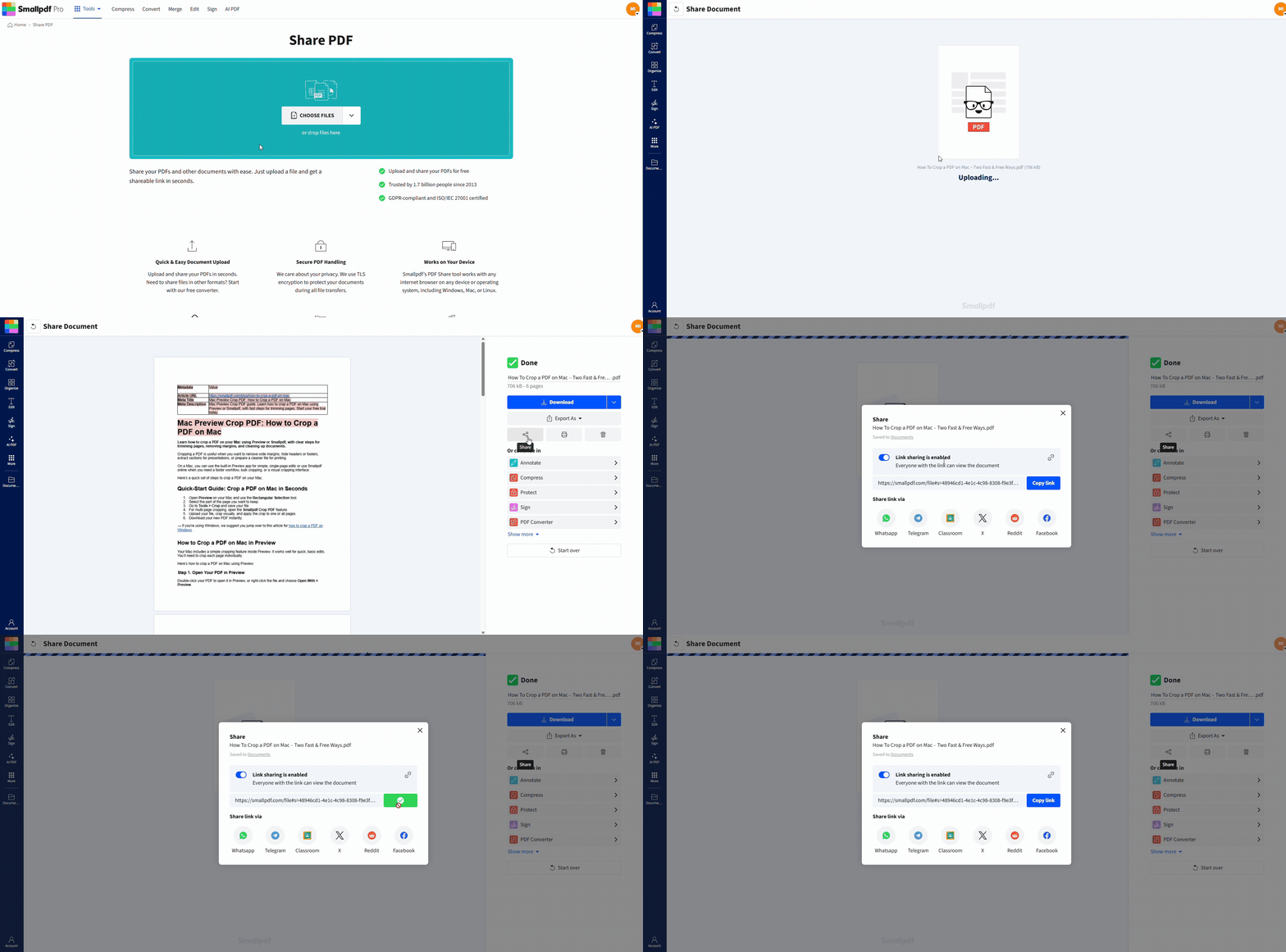
For sensitive documents, add password protection with Protect PDF, and share the file securely. When you’re uploading, you can pull files from your device, Google Drive, Dropbox, or OneDrive, then download back to your device or save to cloud storage.
Common Paperless Challenges and How To Handle Them
1. ‘We still get paper from clients.’
That’s normal. Make it a habit to scan new documents as soon as they arrive. The goal isn’t eliminating paper inputs. It’s eliminating paper bottlenecks.
2. ‘People can’t find files.’
Fix the naming system before you buy anything else. Pick one format and enforce it. Start with date + client/vendor + document type.
3. ‘We’re worried about privacy.’
Use passwords for sensitive PDFs, limit who can access shared folders, and avoid sending confidential attachments in long email threads. If you need to keep some files fully local, the same paperless habits still apply: Scan once, store once, and keep one source of truth.
Ready To Go Paperless?
If you want paperless office savings you can actually measure, start small and stay consistent. Pick one workflow, like invoices or contracts, and make it fully digital end-to-end.
From there, build out scanning, OCR, compression, and eSign as your default path. Smallpdf makes that day-to-day shift easier, so you spend less time managing documents and more time moving work forward.
Frequently Asked Questions
What are paperless office savings, in plain terms?
It’s the money and time you stop spending on printing, storage, and rework. The fastest wins usually come from fewer reprints and faster approvals.How much paper does an office employee use per year?
A commonly cited benchmark is around 10,000 sheets per office worker per year, though it varies by role and industry.How long does ROI take when going paperless?
Many teams see benefits quickly because printing volume and storage needs drop early. ROI depends on how paper-heavy your approvals and filing processes are, and how quickly you standardize habits.What’s the hardest part of going paperless?
Consistency. If half the team prints and half the team doesn’t, you get duplicates and confusion. A simple naming system and one shared workflow solve most issues.Is a paperless office realistic for small businesses?
Yes. Small teams often move faster because fewer people need to change habits. Start with scanning incoming paper, compressing files before sharing, and moving approvals to eSign.What are the risks of paper documents?
Paper documents are vulnerable to countless threats; they can be misplaced or incorrectly filed, discarded by accident, stolen, or destroyed by fire, flood, or other natural disasters. They’re also at risk of improper storage, where temperature and humidity can damage paper, along with any important information they contain.Do I still need a printer and a scanner if I go paperless?
A printer becomes largely redundant; a scanner doesn't. Paper still arrives from clients, vendors, and public bodies, so you need a way to digitize it on arrival — a phone camera and a scanning app is usually enough.Are digital documents safer than paper ones?
Generally, if you manage them properly. Paper can be misfiled, left on a desk, stolen, or destroyed by fire or flood, while digital files can be encrypted, backed up in more than one location, and restricted to specific people. Going digital doesn't remove risk by itself, though — that still depends on strong passwords and trustworthy tools.How do I control who can open a sensitive document?
Password-protect the file before you share it, using a tool like Protect PDF, and give each person full, restricted, or no access rather than sending one open copy to everyone.What's the easiest first step?
Switch signatures. Moving contracts from print-sign-scan-post to electronic signing removes paper, ink, and postage from a process every part of the business touches, and it’s a change one team can make without a company-wide program.Build a more efficient paperless workflow with Smallpdf
