- Home
- ›PDF Reader
PDF Reader Online
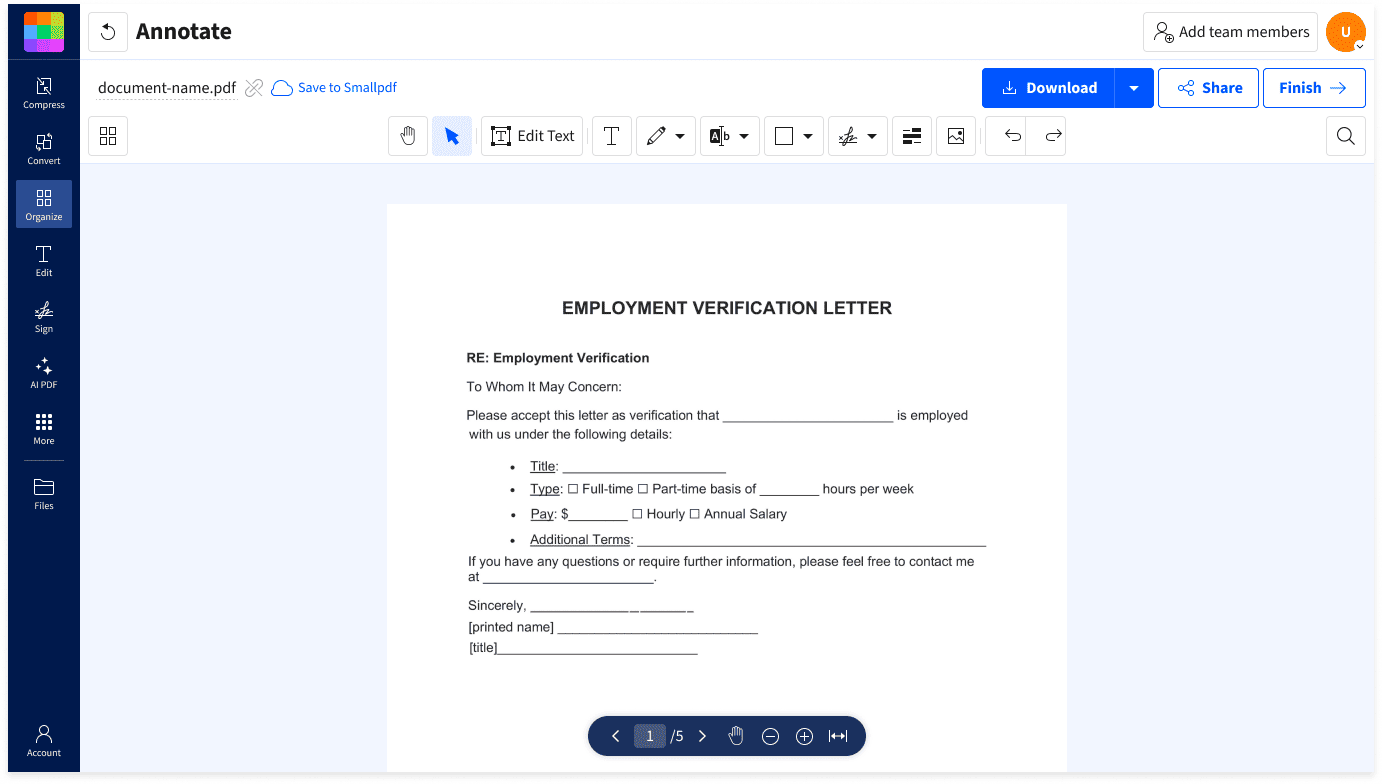
View and read PDFs online for free, with no registration or software installation needed. Open your file in any browser, then read, annotate, fill, or share it from one place.
- Works on any device—without installation
- Free & simple tool for reading text in comfort
- Start reading now—no registration needed

Enhance Your Digital Documents
Our PDF Reader is more than it may seem. View, fill, and markup PDFs online, plus compress files or convert them to images and other formats for export to Dropbox or Google Drive.
Secure Connection
All Smallpdf tools use 256-bit TLS encryption to protect your documents during transfer. Files are automatically deleted after one hour unless you choose to save them to your Smallpdf account.
Offline PDF Reader
If you prefer reading your PDF documents offline or don’t always have access to the internet, you can use our offline Windows desktop app to open and read PDFs on your desktop device or laptop.
Universally Compatible
As an online PDF Reader, you can use this tool with any web browser on any operating system, including mobile devices. It also works with scanned documents, and thanks to auto-saving, you never lose your work.
Read PDFs in Any Browser
Whether you’re using Chrome, Firefox, Safari, or Edge, our PDF viewer works seamlessly across all major browsers. There’s nothing to install or configure—just upload your file and start reading.
Mobile PDF Reader
Access your PDFs on the go with full mobile support. Our online reader adapts to your smartphone or tablet screen, making it easy to read documents wherever you are.
How To Use the Online PDF Reader:
- Import or drag & drop your PDF file to our reader.
- Read your PDF with ease directly in your browser.
- Edit, annotate, reorder, or extract pages if desired.
- Click to “Export” any edits as a new PDF or other file type.
- Download your edited PDF if needed—that’s it!
Frequently Asked Questions
How do I read a PDF online?
You can read a PDF online by uploading your file to Smallpdf's PDF Reader, which opens it instantly in your browser for viewing. Simply drag and drop your document or click to import it from your device.
Can I open a PDF file without Adobe?
Yes, you can open PDF files without Adobe by using Smallpdf's free online PDF Reader, which works in any web browser. No software installation or account creation is required.
Is it safe to upload PDFs to an online reader?
Smallpdf uses TLS encryption to protect your files during upload, and all documents are automatically deleted from our servers after one hour. Your privacy and document security are built into every step of the process.
Does the online PDF reader work on mobile devices?
Yes, Smallpdf's PDF Reader works on any device with a web browser, including smartphones and tablets running iOS or Android. The interface adapts to your screen size for comfortable reading.
Can I download Smallpdf’s PDF Reader for Windows?
Yes, you can download the free Smallpdf Windows app for your Windows computer. Apart from the PDF reader, you’ll also get access to dozens of other PDF tools that will streamline your daily document management.
Do I need to create an account to use the PDF reader?
No, you can use Smallpdf's PDF Reader without registration or creating an account. Just upload your file and start reading immediately.
Does the PDF reader work with scanned documents?
Yes, Smallpdf's online PDF Reader works with scanned documents, allowing you to view them just like regular PDFs. You can also annotate and export scanned files.
Do I need an internet connection to use the PDF reader?
If you use a Windows computer, download the Smallpdf desktop app to view PDFs offline.

