- Home
- ›Delete PDF Pages
Delete Pages From PDF
Remove unwanted pages from a PDF online for free. No registration or software installation is needed—just upload your file, delete PDF pages you don’t need, and save the updated PDF.
- Delete individual PDF pages in your browser
- Trusted by over 1 billion users since 2013
- Secure TLS encryption & GDPR compliant

Preview Pages Before Removing Them
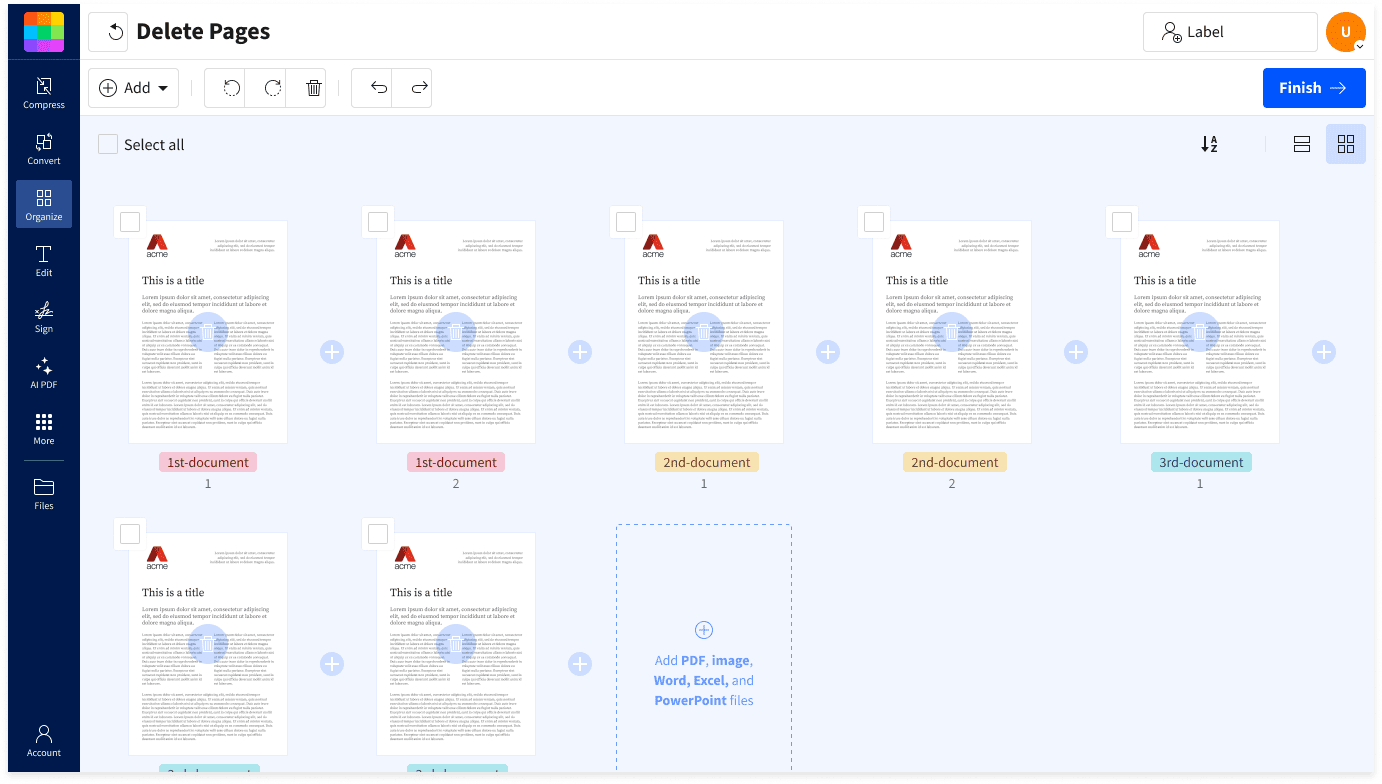
See your PDF pages as thumbnails before making changes. This makes it easier to check that you’re deleting the correct pages from the file.
Remove Blank, Duplicate, or Outdated Pages
Select unnecessary pages from reports, forms, scans, or other PDFs and remove them together before saving the cleaned-up document.
Keep Only What You’re Ready to Share
Delete draft notes, internal pages, old versions, or irrelevant sections so the downloaded PDF contains only the content you intend to send.
Continue With Other PDF Tools
After removing pages, use Smallpdf to merge, split, compress, convert, or edit the updated file. More than 40 PDF tools are available online.
Files Deleted After One Hour
Smallpdf protects uploaded files with 256-bit TLS encryption. Files are automatically deleted from its servers after one hour unless you choose to save them to your Smallpdf account.
Certified Data Protection
Smallpdf is ISO/IEC 27001 certified and fully GDPR-compliant. We meet the highest security standards, so your data stays safe and in your control.
How To Delete Pages From PDF Files
- Import or drag & drop your PDF file to our page deletion tool.
- Click the trashcan icons to remove unwanted document pages.
- Click ‘Finish’ and wait just a second.
- Download or share your new PDF —that‘s it!
FAQs About Deleting Pages From PDFs
Do I need an account to delete pages from a PDF?
No. The Delete PDF Pages tool is free and needs no sign-up. Just upload a PDF, delete unwanted pages, and save what's left.
Can I delete pages that aren't next to each other?
Yes. You can select and remove multiple non-consecutive pages.
Will my page numbers, links, and bookmarks still work after deleting pages?
Not always. Internal links pointing at a removed page will break, and cross-references to page numbers may now be wrong, so walk through the document and check everything before you save.
Does removing pages make the file smaller?
Usually, but not by much on its own. Most of a PDF's weight sits in images and fonts. Smallpdf includes a compression option at the export step.
Can I delete pages from a password-protected PDF?
Not while the restrictions are in place. Documents with enhanced security features are meant to prevent modification, so ask the document owner for the appropriate permissions.
Can I undo deleting pages from a PDF?
Not reliably once you've exported and closed the file. The export creates a new PDF, and the pages you removed only survive if you kept a copy. Make a backup copy of the original before you start.