Can AI Handle Handwritten PDFs?
Convert handwritten PDFs to readable text in seconds. Use Smallpdf's AI for fast, accurate text recognition, summarization, and PDF management. Try it free!
AI Tools & Guides
More on Edit PDF
More on PDF OCR
If you’re staring at pages of handwritten notes or forms inside a PDF, you don’t need to retype everything. Our PDF handwriting to text converter uses OCR and AI to read handwriting directly from scans or photos and turn it into text you can search, edit, and reuse.
Below, we cover how it works, how to convert files on desktop and mobile, when AI struggles with handwriting, and how Smallpdf compares with other OCR options.
Quick Answers: Can AI Read Handwriting in PDFs?
Yes, AI OCR can read many handwritten PDFs, especially neat print handwriting.
Cursive and messy writing are harder, so accuracy can be lower.
You can convert handwritten PDFs to text on the web or mobile with our AI PDF feature.
Output can be exported as PDF, Word, or TXT for further editing.
How To Convert PDF Handwriting to Text With OCR
You can convert PDF handwriting to text online or on your phone. Both options use the same AI OCR engine, so the process feels familiar.
Convert Handwriting to Text Online
You get both raw text and AI-powered summaries, which is ideal for lecture notes, meeting notes, and handwritten research.
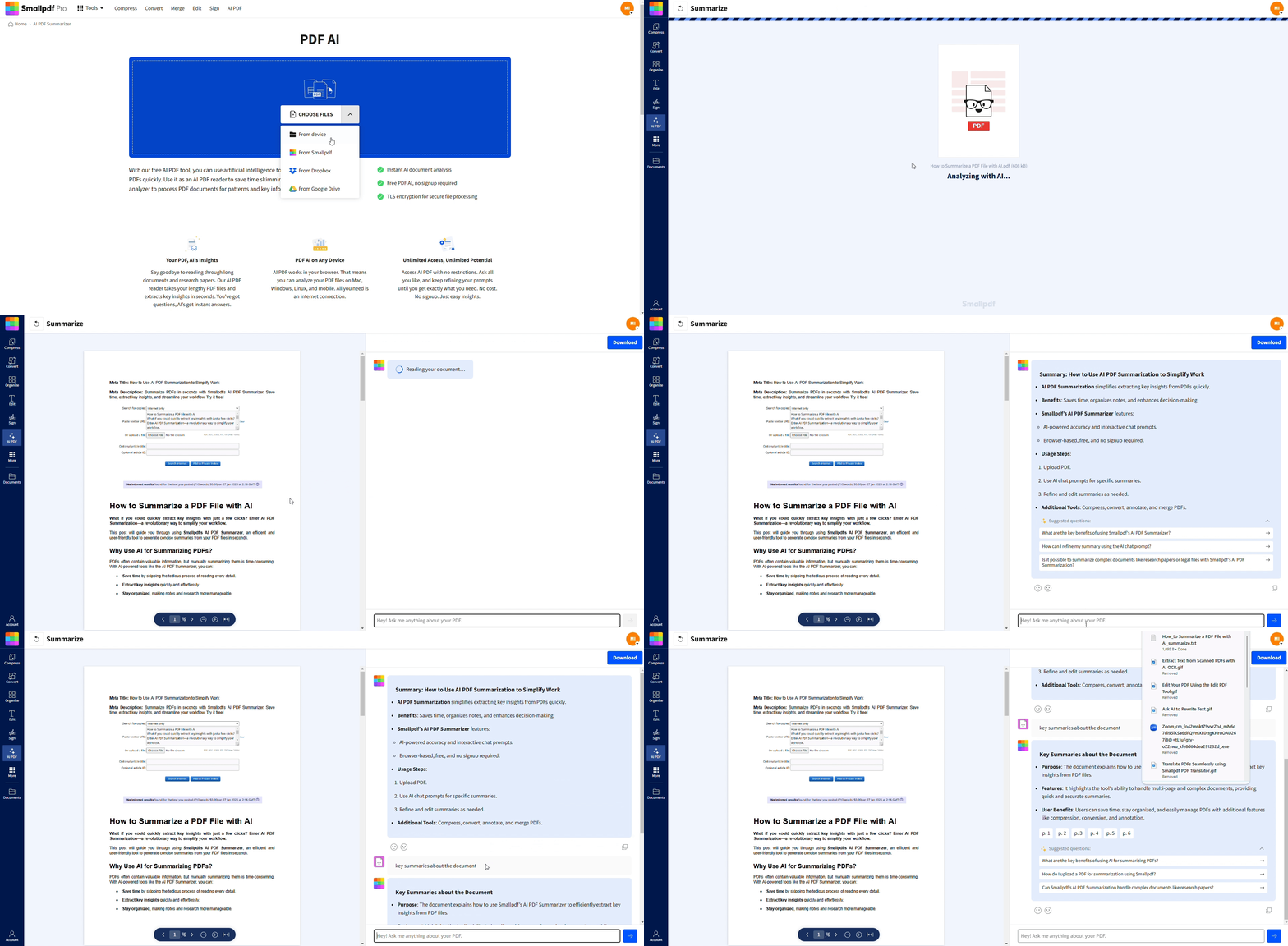
Convert Handwriting to Text on Mobile
Install the Smallpdf mobile app from your app store.
Open the app and choose “AI PDF.”
Take a photo of your handwritten page or pick an existing scan from your gallery.
Start the OCR process and let the app recognize the handwriting.
Save the result as a new PDF, Word file, or text file, or share it directly.
This works well for notebooks, paper forms, and whiteboard photos you capture on the go.
Export Options: PDF, Word, and TXT
After OCR, you can choose the format that fits your workflow:
PDF - keep the layout and make the PDF searchable.
Word - edit, comment, and collaborate with others.
TXT - pull out plain text for fast copying into other systems.
You can also combine the converted file with other PDFs, compress it, or protect it with a password inside Smallpdf.
What Is OCR and How Does it Read Handwriting?
OCR stands for Optical Character Recognition. It looks at pixels inside a scan or image, detects shapes that look like characters, and turns them into digital text.
Printed Versus Cursive Handwriting
Printed handwriting (separate letters) is much easier to read for OCR engines.
Cursive handwriting connects letters, which makes boundaries less clear.
Heavily stylized writing, very small text, or decorative scripts are the hardest cases.
Our AI PDF feature uses machine learning models that have been trained on many writing styles, so it performs better than older OCR systems that only handled clean print.
What Affects Handwriting OCR Accuracy
Several factors play a big role in how well AI can read handwritten PDFs:
Scan resolution (DPI) and focus
Contrast between ink and paper
Writing size and spacing
Page skew and shadows
Language and alphabet used
Good scans and reasonably neat writing can often reach very usable accuracy, while rushed notes may still require manual checking.
How Smallpdf Compares to Other Handwriting OCR Tools
There are many OCR services, from desktop apps to cloud platforms. Here’s how we position ourselves for handwritten PDFs.
Accuracy and Real-World Use
We focus on realistic documents: Lecture notes, forms, medical notes, and internal paperwork. Our AI OCR is tuned for these scenarios rather than only perfect lab samples. Many users tell us they can move from manual typing to light proofreading, instead of rewriting entire pages.
Ease of Use
Other tools might need desktop installs, complex settings, or scripting. With us:
You open an AI PDF in a browser or app.
You upload, wait a moment, and start reading or asking questions.
You do not need to adjust many technical parameters.
Privacy and Security
Some OCR services store documents for long periods or reuse data to train models. We:
Encrypt files in transit and at rest.
Delete uploads automatically after processing.
Offer clear privacy terms and security certifications.
If you just want a fast, secure way to convert handwriting to text and keep working in PDF, Word, or TXT, we aim to stay simple and trustworthy.
Tips to Improve OCR Accuracy for Handwritten PDFs
You can help AI do its best work by preparing your pages with a few practical steps.
1. Improve Scan Quality
Keep pages flat and aligned on the scanner glass.
Avoid shadows from hands, phones, or notebook rings.
2. Improve Handwriting Legibility
Write with dark ink on white paper whenever possible.
Keep reasonable spacing between letters and words.
Use printed characters for key fields like names, dates, and numbers.
3. Prepare Files Before Upload
Rotate pages so text is straight, not sideways.
Crop out borders or dark backgrounds if you can.
Group similar pages together to make batch processing easier.
These small adjustments often make a big difference in how much you need to correct afterward.
Security and Privacy When Converting Handwriting to Text
Handwritten notes often contain personal or sensitive information. We treat these files like any other confidential document.
Files are protected with TLS during upload and download.
Storage uses strong encryption.
Documents are deleted automatically after one hour of processing.
Processing is automated, not reviewed by humans.
If you work with client notes, medical records, or internal forms, you can still use AI OCR without sending data into an uncontrolled environment.
Key Smallpdf Features For Handwritten PDFs
When you use our PDF handwriting to text converter, you get more than basic OCR.
AI handwriting recognition that turns many handwritten pages into text you can search.
Ask anything chat so you can query the document instead of scanning line by line.
PDF to Word, Excel, and PowerPoint for deeper editing or data extraction.
Compress, Protect, and Merge PDF to prepare files for storage and sharing.
AI summaries that condense long notes into short, readable overviews.
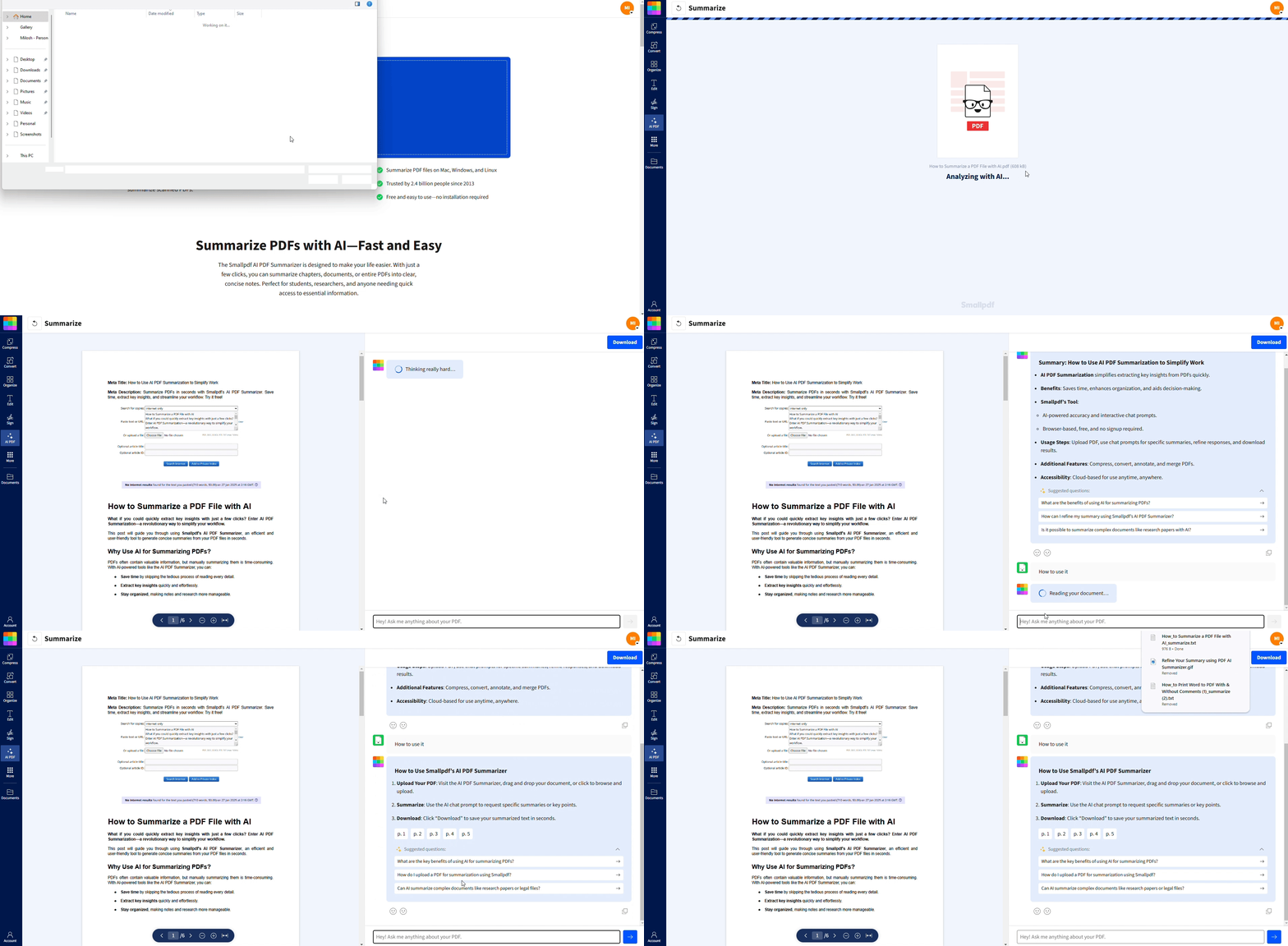
You can run all of this in your browser or in our mobile app without extra plugins or coding.
Turn Handwritten PDFs Into Searchable Text With Smallpdf
You don’t need to live in paper notebooks or type your notes twice. With our PDF handwriting to text converter, you scan or photograph your pages, upload them once, and let AI OCR handle the heavy lifting.
After that, you can summarize, edit, compress, and share everything from the same workspace.
When you’re ready, open the AI PDF in your browser or app, upload a handwritten PDF, and see how much faster your note-taking and document work can become.
FAQs About PDF Handwriting to Text
Can OCR read cursive handwriting?
It can, but accuracy is usually lower than for printed handwriting. Our AI OCR will attempt to read cursive, and you can still copy, correct, and reuse much of the text, but we always recommend printed writing when you can choose.How accurate is handwriting OCR in real life?
Accuracy depends on handwriting quality and scan clarity. Neat print on a clean scan can come close to full recognition, while messy cursive may need more manual fixes. We suggest using our output as a strong starting point, then proofreading important sections.How do I copy text from a PDF after OCR?
After conversion, open the processed file and select text like you would in any digital document. You can copy and paste it, or download the file in Word or TXT format to keep editing offline.Does Smallpdf OCR support multiple languages?
Yes, AI PDF can recognize handwritten text in many languages. You can upload mixed-language documents, and the engine will attempt to detect and process them automatically.Is my handwritten document secure during conversion?
Yes. Files are encrypted in transit and at rest, then deleted automatically after processing. We do not keep your handwritten notes for model training or manual review.What if the OCR results are poor?
Try scanning at a higher resolution, improving lighting, and making sure the page is straight. If handwriting is very stylized, you may need to correct key sections manually or rewrite the most important lines.Can I convert handwritten notes from photos, not just PDFs?
Yes. You can upload photos directly in the mobile app or turn them into PDFs first, then run AI PDF. The same OCR engine converts them into editable, searchable text.Convert handwritten text in PDFs using Pro AI features
